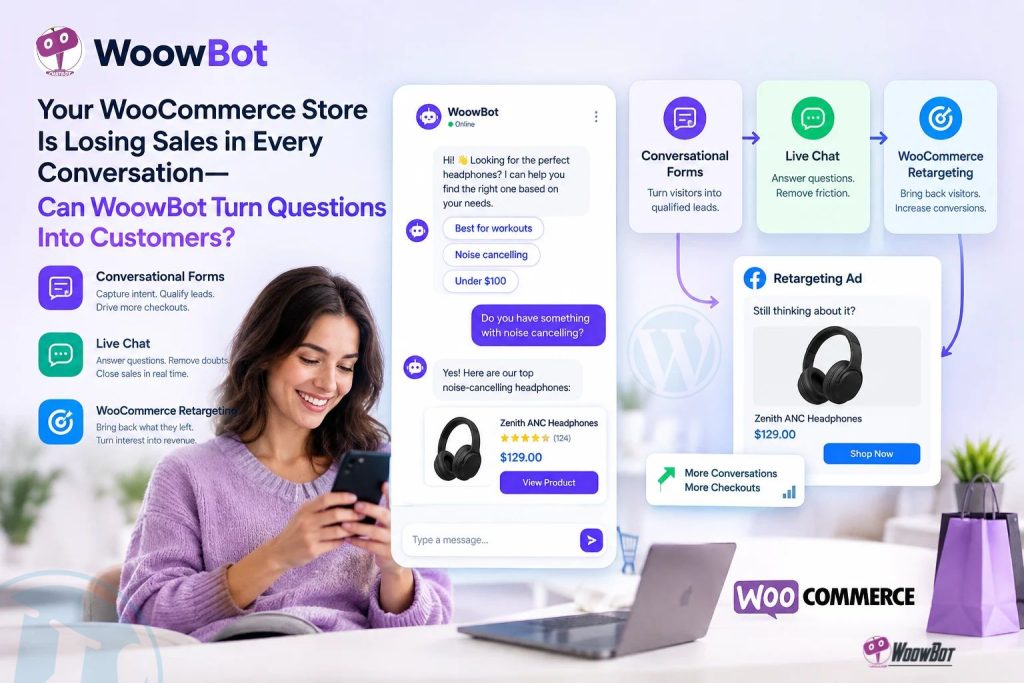
WoowBot helps WooCommerce store owners turn customer questions into buying opportunities by combining Conversational Forms for lead capture, Live Chat for purchase assistance, and WooCommerce Retargeting for re-engaging interested shoppers. By connecting customer questions with timely support and follow-up opportunities, WoowBot can help store owners reduce avoidable friction in the buying journey and create more opportunities for completed checkouts.
Why Are Your WooCommerce Visitors Asking Questions but Leaving Without Buying?
A WooCommerce visitor can arrive from Google, browse three product pages, compare prices, and leave without placing an order. Sometimes the visitor needs only one answer about sizing, compatibility, shipping, payment, or delivery before feeling confident enough to buy.
WoowBot gives WooCommerce store owners a way to address those moments through Conversational Forms, Live Chat, and WooCommerce Retargeting. The goal is straightforward: help shoppers find answers, capture genuine buying interest, resolve hesitation, and encourage interested visitors to return.
How Much Revenue Could Your WooCommerce Store Be Missing?
A visitor who leaves without buying does not automatically represent a lost sale. However, unanswered questions, confusing product information, and weak follow-up can create avoidable barriers between product discovery and checkout.
Consider a hypothetical WooCommerce store receiving 20,000 monthly visitors with a 1.5% conversion rate and an average order value of $50. The store generates approximately 300 orders and $15,000 in monthly revenue before accounting for refunds, discounts, and other costs.
|
WooCommerce performance metric |
Current baseline |
Illustrative improvement |
|
Monthly website visitors |
20,000 |
20,000 |
|
Conversion rate |
1.5% |
1.8% |
|
Monthly orders |
300 |
360 |
|
Average order value |
$50 |
$50 |
|
Monthly gross sales |
$15,000 |
$18,000 |
|
Additional monthly gross sales |
— |
$3,000 |
WoowBot is not guaranteed to produce a 0.3-percentage-point conversion improvement. The figures illustrate the potential financial impact of improving the buying experience and must be validated against actual WooCommerce analytics.
Why Does WoowBot Focus on the Moments Before Checkout?
- WoowBot Conversational Forms can help capture product inquiries, contact information, and customer requirements before a visitor leaves.
- WoowBot Live Chat can help shoppers resolve product questions and connect with human support when automated assistance is insufficient.
- WoowBot WooCommerce Retargeting can support follow-up strategies that bring interested shoppers back, depending on the available integrations and configured workflow.
The three pillars address different stages of the same customer journey. WoowBot works best as part of a broader conversion strategy that also includes accurate product data, transparent shipping information, reliable checkout functionality, and useful analytics.
1. Why Are Your WooCommerce Product Pages Failing to Answer the Questions That Matter?
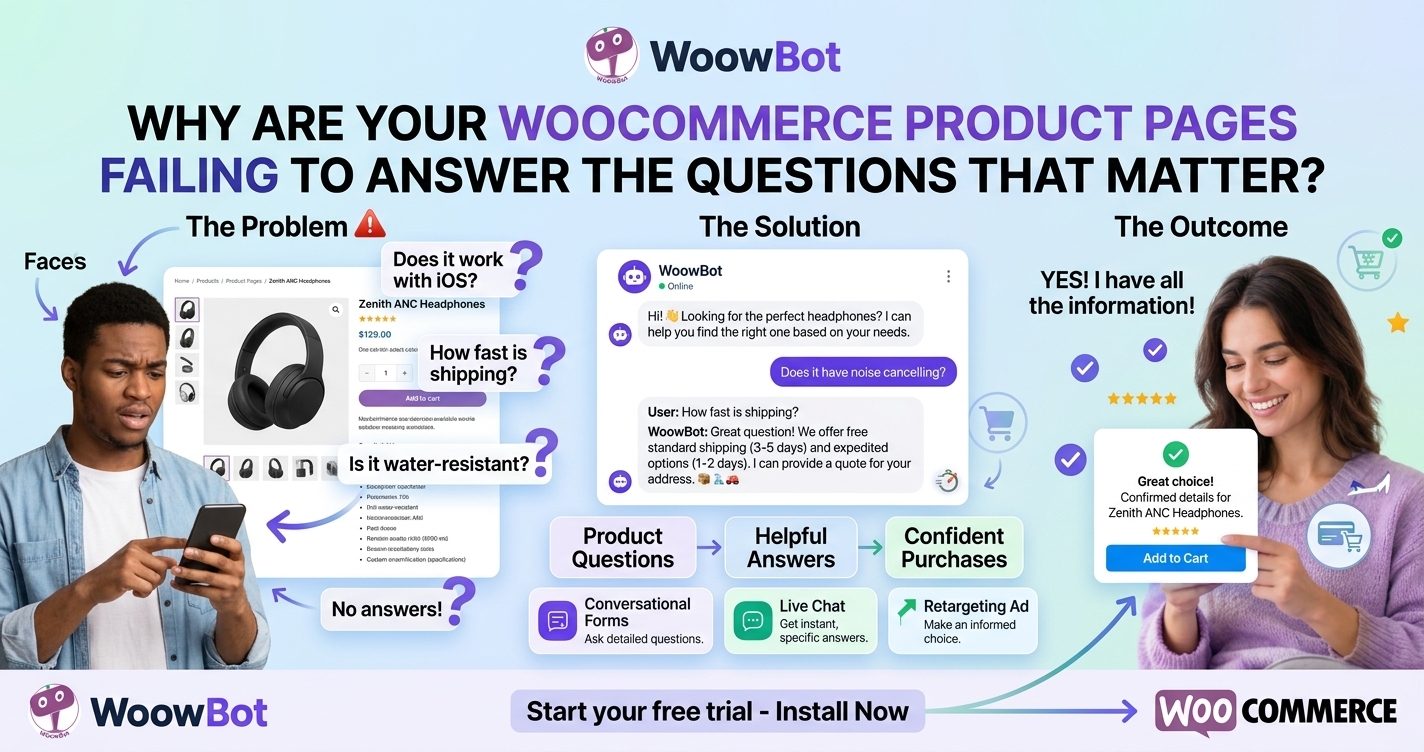
Can WoowBot Help Shoppers Find Product Answers Without Searching Every Page?
A WooCommerce product page can contain detailed specifications and still leave a shopper uncertain. Customers may want to know whether a product fits a particular use case, works with existing equipment, comes in a particular size, or meets a specific requirement.
WoowBot can provide a conversational entry point for product questions instead of forcing every visitor to navigate the entire store manually. The usefulness of the answer depends on the information available to WoowBot, the configured chatbot engine, and the quality of the store’s product content.
For example, a customer shopping for a laptop accessory might ask whether a particular model is compatible with a device. A well-configured WoowBot experience should prioritize verified compatibility information rather than inventing a confident answer.
Why Does WoowBot Need Accurate WooCommerce Product Data?
A chatbot cannot reliably answer questions that the store’s underlying information does not resolve. Missing attributes, inconsistent product descriptions, outdated stock information, and unclear shipping policies can undermine the buying experience.
WooCommerce store owners should review the following information before relying on WoowBot for product assistance:
- WoowBot product discovery: Confirm that the configured product-search functionality can retrieve relevant WooCommerce products.
- WoowBot product attributes: Maintain accurate size, color, material, compatibility, model, and other relevant specifications.
- WoowBot stock information: Verify that answers about availability reflect the store’s actual inventory data and supported integrations.
- WoowBot pricing information: Ensure that displayed prices, sale prices, currencies, and product variations match the current store configuration.
- WoowBot shipping guidance: Keep delivery estimates, shipping restrictions, return policies, and refund rules accurate and accessible.
Product discovery and conversational answering are only as useful as the underlying information. WoowBot should not replace careful product-data management or a reliable order-management process.
How Can WoowBot Connect Product Questions to Buying Intent?
A question about product compatibility often signals more than general curiosity. A shopper who asks about dimensions, delivery dates, or available variations may be evaluating whether to purchase.
WoowBot can help store owners recognize these buying moments by connecting product assistance with an appropriate next step. Depending on the configured functionality, that next step might be opening a relevant product page, collecting an inquiry, or directing the shopper to a support representative.
A practical WoowBot conversation could follow this pattern:
- WoowBot identifies the question: The shopper asks whether a particular product meets a specific requirement.
- WoowBot retrieves relevant information: The chatbot uses the configured product search or knowledge source.
- WoowBot provides a grounded answer: The response relies on available product specifications and documented policies.
- WoowBot supports the next action: The shopper receives a relevant product link, an inquiry option, or a route to human support.
The goal is not to push every visitor into an immediate sale. WoowBot should help shoppers make informed decisions while preserving a clear path to checkout.
2. Can WoowBot Conversational Forms Capture Leads Before Interested Shoppers Leave?
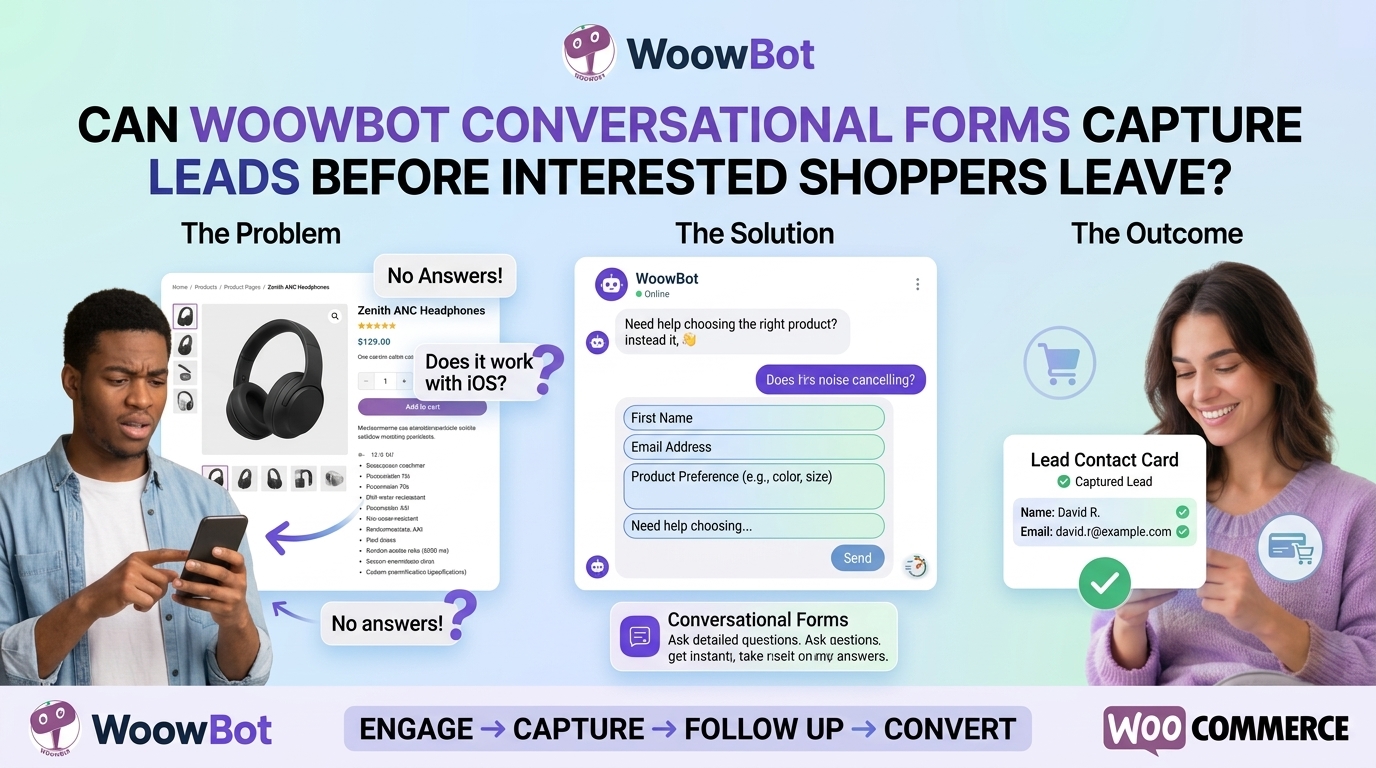
Why Do Traditional Contact Forms Lose Potential WooCommerce Customers?
A conventional contact form often asks visitors to complete several fields before receiving any useful guidance. A shopper who only needs a quick product recommendation may abandon the form rather than provide a name, email address, phone number, and lengthy message.
WoowBot Conversational Forms can make lead capture feel more connected to the customer’s immediate question. Instead of presenting every field at once, a conversational workflow can guide visitors through relevant questions in a more natural sequence.
The exact form capabilities, branching rules, and data fields depend on the WoowBot version and configuration. Store owners should verify the supported options before promising a particular form workflow.
How Can WoowBot Conversational Forms Qualify Product Inquiries?
A useful lead form captures enough information to make the next interaction productive without creating unnecessary friction. WoowBot Conversational Forms can be planned around the questions that help the store understand customer requirements.
For example, a WooCommerce store selling office furniture might ask about the required desk size, available space, preferred material, budget range, and delivery location. The resulting inquiry gives the sales team more context than a message that simply says, “Please contact me.”
A well-designed WoowBot lead-capture workflow should follow three principles:
- WoowBot asks relevant questions: Request information that helps resolve the shopper’s actual problem.
- WoowBot minimizes unnecessary fields: Avoid collecting details that do not contribute to the requested service.
- WoowBot provides a clear next step: Explain whether the shopper will receive a recommendation, a human response, or another form of assistance.
A shorter form is not automatically better if the sales team cannot act on the collected information. WoowBot Conversational Forms should balance completion rates with the quality and usefulness of each inquiry.
Which WoowBot Form Fields Should a WooCommerce Store Collect?
The best form fields depend on the product category and the intended follow-up. A store selling personalized products needs different information from a store selling software licenses or replacement parts.
|
WooCommerce use case |
Suggested WoowBot form fields |
Business purpose |
|
Product recommendations |
Product category, intended use, budget |
Narrow down relevant products |
|
Product compatibility |
Product model, existing device, required feature |
Help verify compatibility |
|
Bulk purchasing |
Quantity, delivery location, business email |
Prepare a suitable quotation |
|
Custom products |
Dimensions, material, preferences |
Clarify customization requirements |
|
Pre-sales support |
Product of interest, question, preferred contact method |
Route the inquiry appropriately |
|
Order-related assistance |
Order reference, issue category, contact method |
Direct the customer toward support |
WoowBot should collect only the personal information necessary for the stated purpose. Order references and contact details require appropriate access controls, retention rules, and privacy disclosures.
How Can WoowBot Conversational Forms Improve Lead Quality?
A large number of incomplete or irrelevant leads can waste more time than a smaller number of well-qualified inquiries. WoowBot Conversational Forms should therefore be evaluated on both form completion and downstream business results.
Track the following WoowBot lead metrics:
- WoowBot form-start rate: The number of unique visitors who start a conversational form divided by the number of eligible visitors shown the form.
- WoowBot completion rate: The number of completed forms divided by the number of form starts.
- WoowBot qualified-lead rate: The number of leads meeting the store’s qualification criteria divided by the number of completed forms.
- WoowBot lead-to-order rate: The number of leads who later place an order divided by the number of attributable leads.
- WoowBot cost per qualified lead: The attributable cost of the workflow divided by the number of qualified leads generated.
For example, if 200 visitors start a WoowBot form and 120 complete the form, the completion rate is 60%. If 30 of those 120 submissions meet the store’s qualification criteria, the qualified-lead rate is 25%.
These figures are illustrative calculations, not reported WoowBot performance benchmarks. Store owners should use actual form analytics and order data to determine whether a workflow improves business outcomes.
How Can WoowBot Prevent Conversational Forms From Annoying Visitors?
A conversational form should help a shopper complete a task, not interrupt every interaction. Aggressive pop-ups, repeated prompts, and unnecessary personal-data requests can damage trust.
WoowBot Conversational Forms should appear at relevant moments and offer a clear way to decline or exit. A product-specific inquiry form is more useful after a visitor asks a detailed question than an immediate demand for an email address on the homepage.
Useful implementation practices include:
- WoowBot timing: Trigger form invitations after a relevant interaction or another justified engagement signal.
- WoowBot field validation: Explain missing or invalid information without forcing visitors to restart the form.
- WoowBot accessibility: Support keyboard navigation, clear labels, readable contrast, and understandable error messages.
- WoowBot mobile usability: Keep questions and response controls easy to use on smaller screens.
- WoowBot privacy transparency: Explain why contact details are requested and how the store intends to use the information.
A respectful lead-capture experience can support trust while giving the sales team enough information to respond effectively.
3. Is Your WooCommerce Store Losing Ready-to-Buy Customers Because Nobody Answers Fast Enough?
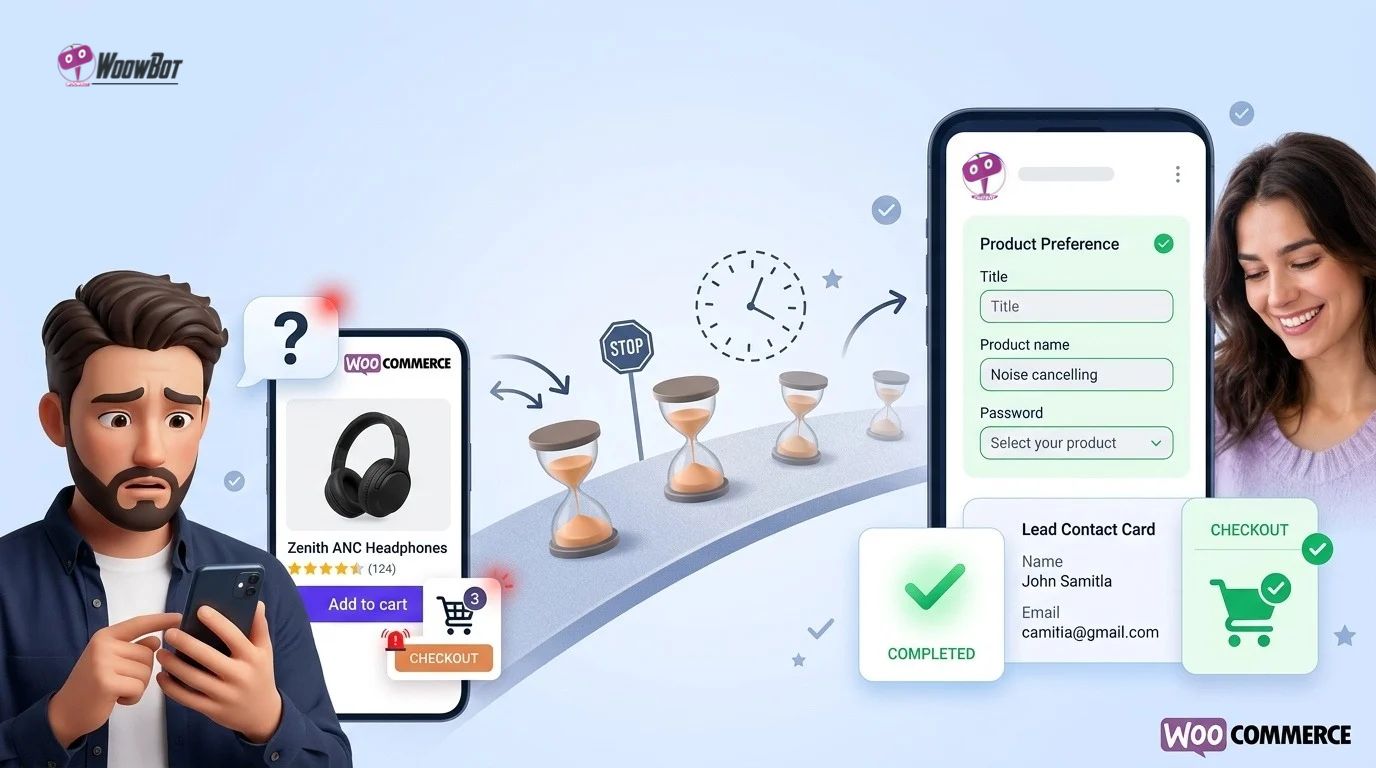
Can WoowBot Live Chat Resolve Purchase Questions at the Right Moment?
A shopper who cannot confirm a delivery estimate or product specification may postpone the purchase and look for another store. Even when the product is right, uncertainty can prevent checkout.
WoowBot Live Chat gives WooCommerce visitors a conversational support channel for questions that arise during product discovery and purchase consideration. Depending on the enabled features and integrations, the support experience may combine automated responses with access to a human representative.
The important distinction is between answering quickly and answering correctly. WoowBot should provide reliable information, acknowledge uncertainty, and offer an appropriate escalation path when a question requires human judgment.
Which WooCommerce Questions Should WoowBot Live Chat Handle First?
The most useful starting point is a list of repetitive pre-sales questions that consume support time. Store owners can then organize answers into verified responses and determine when a representative should take over.
|
Customer question |
Recommended WoowBot response strategy |
Business objective |
|
Is the product available in my size? |
Retrieve verified variation or stock information when supported |
Reduce purchase uncertainty |
|
Does the product work with my device? |
Check documented compatibility information |
Avoid unsuitable purchases |
|
How long will delivery take? |
Explain the applicable shipping policy and available estimates |
Set realistic expectations |
|
What is your return policy? |
Present the relevant, current return terms |
Build purchase confidence |
|
Can I buy in bulk? |
Collect quantity and requirements through WoowBot Conversational Forms |
Qualify commercial inquiries |
|
Can you help with a complicated issue? |
Offer human support or a clear contact route |
Prevent unresolved conversations |
WoowBot should not invent stock availability, guarantee a delivery date without reliable data, or interpret an unclear return policy as a promise. High-impact answers should use authoritative store information and provide a route to a human representative whenever confidence is insufficient.
How Does WoowBot Live Chat Support Human Agents?
Automation is useful for repetitive questions, but not every customer interaction should be automated. Refund disputes, complex compatibility issues, damaged shipments, and unusual order problems often need human judgment.
WoowBot Live Chat should fit into a support workflow that defines which questions automation can answer and which questions require escalation. Before deploying the workflow, verify the actual WoowBot live-chat options, agent availability features, and any supported integrations with external communication tools.
A practical support workflow can use the following sequence:
- WoowBot identifies the support topic: The customer asks a question about a product, order, or store policy.
- WoowBot checks the available information: The configured chatbot searches relevant product data or approved knowledge sources.
- WoowBot answers within defined limits: The chatbot provides information supported by available evidence.
- WoowBot routes unresolved requests: The shopper receives the available human-support option or an appropriate contact form.
- WoowBot helps preserve context: Where supported, the conversation record or submitted inquiry provides the information needed for follow-up.
A useful escalation policy should also explain what happens outside business hours. WoowBot can support a structured inquiry workflow, but a store must not imply that a human agent is immediately available unless staffing and configuration make that promise true.
How Can WoowBot Live Chat Reduce Repetitive Support Work?
Support efficiency depends on how often automation resolves a question accurately without creating extra work later. A chatbot that produces incorrect answers may increase ticket volume even if the initial response appears fast.
WoowBot Live Chat should be evaluated using resolution quality, escalation rate, customer satisfaction, and total handling time rather than response speed alone.
For example, suppose a WooCommerce store receives 600 repetitive questions per month and each question takes an average of four minutes to answer manually. The team spends 2,400 minutes, or 40 hours, on those questions each month.
If WoowBot accurately resolves 25% of those questions without additional agent intervention, the store could recover up to 10 hours of initial handling time per month. That estimate excludes implementation, review, maintenance, and the time required to correct unsuccessful automated interactions.
|
Support metric |
Illustrative baseline |
Illustrative WoowBot outcome |
|
Repetitive questions per month |
600 |
600 |
|
Average manual handling time |
4 minutes |
4 minutes |
|
Questions resolved automatically |
0 |
150 |
|
Initial manual handling time |
40 hours |
30 hours |
|
Initial handling time recovered |
— |
10 hours |
WoowBot does not guarantee a 25% automated resolution rate. Store owners should measure the actual rate of successful resolutions and count repeat contacts to ensure the automation is genuinely reducing work.
Which WoowBot Live Chat Metrics Reveal Whether Support Is Working?
Useful metrics distinguish between conversations that merely ended and conversations that actually helped the customer. WoowBot analytics, where available, should be combined with support records and WooCommerce order data.
- WoowBot first-response time: Measure how long a shopper waits for the first meaningful answer.
- WoowBot resolution rate: Measure the percentage of conversations that resolve the customer’s issue without an unnecessary repeat contact.
- WoowBot escalation rate: Measure how often conversations require human assistance.
- WoowBot repeat-contact rate: Measure how often customers return with the same unresolved question.
- WoowBot assisted-conversion rate: Measure the percentage of eligible, attributable conversations associated with a subsequent purchase.
- WoowBot customer satisfaction: Collect post-conversation feedback where the workflow supports it.
A high escalation rate is not automatically a failure. A chatbot that recognizes uncertainty and routes complicated questions appropriately can be safer and more useful than a chatbot that tries to answer everything.
How Can WoowBot Live Chat Protect Customer Trust?
A conversational interface can feel personal, but the store remains responsible for clear disclosure and responsible handling of customer information. WoowBot deployment should make the nature of automated assistance clear and avoid implying that an AI response comes from a human representative.
- WoowBot identity disclosure: Make automated assistance clear to visitors.
- WoowBot answer quality: Use verified product data and approved policy content for important answers.
- WoowBot privacy controls: Limit access to conversation histories and personal information.
- WoowBot human escalation: Give customers a workable route to a person when the issue exceeds automation.
- WoowBot operational monitoring: Review incorrect answers, recurring complaints, and unresolved conversations.
Trust is a conversion asset. A careful, accurate WoowBot conversation is more valuable than a fast answer that leads a customer toward the wrong product.
4. Can WoowBot WooCommerce Retargeting Bring Interested Shoppers Back to Checkout?
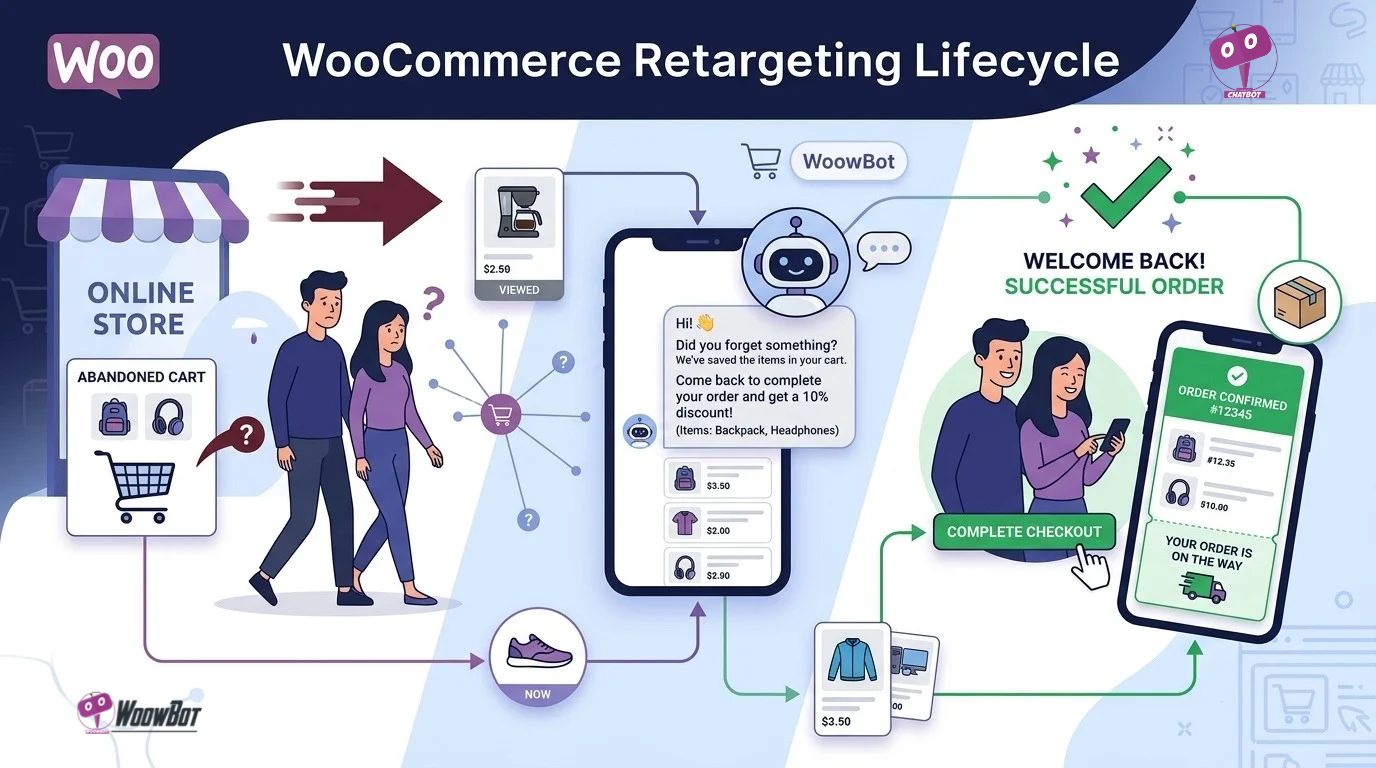
Why Do Interested WooCommerce Shoppers Leave Before Completing an Order?
Shoppers abandon purchases for many reasons, including unexpected shipping charges, a complicated checkout, a lack of payment options, comparison shopping, or a decision to buy later. Not every abandoned session represents a customer who needs another marketing message.
WoowBot WooCommerce Retargeting is intended to support follow-up opportunities for shoppers who have shown interest but have not completed the buying journey. The exact triggers, messaging channels, audience rules, and automation capabilities depend on the installed WoowBot version and configured integrations.
Retargeting should focus on relevant, permitted follow-up rather than repeatedly contacting every visitor who leaves a product page.
How Can WoowBot Connect Customer Conversations With Follow-Up Opportunities?
A conversation can reveal useful context about what a shopper needs. Someone asking about product size may need a product guide, while someone asking about bulk pricing may need a quotation rather than a generic discount.
WoowBot can support a more relevant follow-up strategy when the required conversation context, customer consent, event tracking, and integration capabilities are available. Store owners must verify that the specific retargeting workflow is supported before promising automated follow-up through a particular channel.
Consider three example WooCommerce scenarios:
- WoowBot product-interest scenario: A shopper asks detailed questions about a product but leaves before purchasing; an eligible follow-up may provide a relevant product link.
- WoowBot cart-abandonment scenario: A shopper adds an item to the cart but does not complete checkout; an authorized recovery workflow may remind the shopper about the unfinished purchase.
- WoowBot bulk-inquiry scenario: A business customer requests pricing for a large order; a follow-up workflow may direct the customer to a quotation or sales representative.
The goal is to connect the next message to the original buying question. A generic promotional email may be less useful than a response that addresses the customer’s actual concern.
Which WooCommerce Retargeting Events Should Store Owners Measure?
A retargeting strategy requires reliable event data. Product views, cart additions, checkout starts, purchases, and repeat purchases represent different stages of the customer journey and should not be treated as interchangeable signals.
|
WooCommerce event |
Potential WoowBot follow-up objective |
Measurement |
|
Product viewed |
Help an interested shopper revisit relevant information |
Return product visits |
|
Product question submitted |
Resolve a remaining product concern |
Inquiry-to-order rate |
|
Cart created without purchase |
Encourage a permitted return to checkout |
Recovered cart orders |
|
Checkout started without purchase |
Identify and reduce checkout friction |
Checkout completion rate |
|
Bulk inquiry submitted |
Continue a qualified sales conversation |
Inquiry-to-quotation rate |
|
Completed purchase |
Support appropriate post-purchase communication |
Repeat purchases and satisfaction |
WoowBot attribution requires a defined measurement window and reliable event matching. A purchase that happens after a retargeting message should not automatically be credited to WoowBot without considering other marketing touchpoints and the store’s attribution rules.
How Can WoowBot Retargeting Avoid Becoming Spam?
Frequent reminders can frustrate customers, damage a brand’s reputation, and create privacy or compliance problems. Retargeting should therefore have clear eligibility rules, frequency limits, and suppression conditions.
- WoowBot audience eligibility: Retarget only visitors or customers who qualify for the configured and lawful workflow.
- WoowBot consent handling: Respect applicable consent requirements and channel-specific marketing rules.
- WoowBot frequency controls: Limit repeated messages within a defined period.
- WoowBot purchase suppression: Stop abandoned-cart reminders when the order has been completed.
- WoowBot opt-out handling: Honor unsubscribe requests and applicable communication preferences.
- WoowBot message relevance: Match the follow-up to the original product interest or unresolved question.
A shopper who has already purchased should not continue receiving messages suggesting that the same order remains incomplete. WoowBot retargeting should use current order status wherever the integration supports reliable suppression.
What Does a Realistic WoowBot Retargeting ROI Calculation Look Like?
Retargeting profitability depends on incremental orders, average order value, contribution margin, campaign cost, and whether the customer would have purchased without the message. Gross sales alone can make an unprofitable campaign appear successful.
Consider a hypothetical WooCommerce campaign targeting 1,000 eligible abandoned-cart shoppers. Suppose 40 shoppers complete an attributable purchase after receiving a permitted follow-up, with an average order value of $60.
|
Retargeting calculation |
Illustrative result |
|
Eligible shoppers contacted |
1,000 |
|
Attributed recovered orders |
40 |
|
Average order value |
$60 |
|
Gross sales from attributed orders |
$2,400 |
|
Assumed contribution margin |
40% |
|
Contribution before campaign costs |
$960 |
|
Messaging and campaign costs |
$150 |
|
Contribution after campaign costs |
$810 |
WoowBot’s illustrative campaign contribution is $810 before any additional operating costs and before adjusting for purchases that would have happened anyway. The 40 orders and 40% margin are assumptions, not WoowBot benchmarks.
A more rigorous evaluation uses incremental contribution:
\[ \text{Incremental ROI} = \frac{\text{Incremental Contribution} – \text{Campaign Costs}} {\text{Campaign Costs}}\times100\% \]
The store should estimate incremental contribution using a suitable holdout group or another credible attribution method. The analysis should also include discounts, refunds, payment fees, messaging costs, and any additional platform or integration expenses.
Which Retargeting Channels Should WoowBot Use?
The best channel depends on the available WoowBot integrations, customer preferences, consent status, and the kind of follow-up required. Store owners should confirm support for each channel rather than assuming that every communication channel is included in every license.
- WoowBot email follow-up: Use an authorized email workflow for relevant product guidance or abandoned-cart reminders when email integration and consent requirements are satisfied.
- WoowBot messaging follow-up: Use a supported messaging integration only when the store has configured the required account, permissions, and messaging policies.
- WoowBot website return journey: Make it easy for shoppers to revisit the relevant product, inquiry, or cart where supported.
- WoowBot sales follow-up: Route qualified bulk or custom-product inquiries to the appropriate representative when a human response is needed.
The right strategy is not to contact customers through every possible channel. The right strategy is to select a relevant channel, send a useful message, and measure the resulting customer and business outcomes.
5. Can WoowBot Connect All Three Pillars Into One Practical WooCommerce Sales Journey?
How Do WoowBot Conversational Forms, Live Chat, and Retargeting Work Together?
Each pillar solves a different problem, but the strongest implementation treats the pillars as connected stages rather than isolated features. WoowBot Conversational Forms capture relevant information, WoowBot Live Chat helps resolve questions, and WoowBot WooCommerce Retargeting supports appropriate follow-up when a purchase has not happened.
Consider a WooCommerce store selling premium headphones:
- WoowBot product discovery: A visitor asks whether a particular headphone model works with a laptop.
- WoowBot Live Chat: The chatbot provides verified compatibility information or routes an uncertain question to human support.
- WoowBot Conversational Forms: The visitor requests help comparing two models and provides the minimum information needed for a useful recommendation.
- WoowBot purchase journey: The visitor receives a relevant product option and proceeds toward checkout.
- WoowBot retargeting workflow: If the visitor leaves without purchasing, an eligible follow-up can address the original concern or make returning to the product easier.
- WoowBot measurement: The store tracks the inquiry, assisted purchase, and any follow-up interaction using reliable analytics.
This example describes a possible implementation, not a claim that every stage runs automatically in every WoowBot installation. The actual workflow depends on available features, integration support, consent rules, and configuration.
Which WoowBot Implementation Should a Store Owner Build First?
Trying to automate every customer interaction immediately can create unnecessary complexity. A better approach is to identify the most expensive or frequent point of friction and build a focused workflow around that problem.
- WoowBot first phase — Product answers: Improve the accuracy and accessibility of answers to the most common pre-sales questions.
- WoowBot second phase — Lead capture: Add a conversational form for inquiries that require structured information or human follow-up.
- WoowBot third phase — Support escalation: Define the cases that need a human representative and test the handoff process.
- WoowBot fourth phase — Retargeting: Configure a permitted follow-up workflow for eligible shoppers who have not completed the purchase.
- WoowBot fifth phase — Conversion measurement: Connect conversation events with WooCommerce orders and evaluate the results against a baseline.
Each phase should have an acceptance test. A successful installation is not simply a chatbot that appears on the page; a successful implementation should help customers complete tasks without creating new support, privacy, or performance problems.
How Can Developers Test WoowBot Before Launch?
A WooCommerce store can appear to work correctly during a quick demonstration while failing under real traffic, unusual customer questions, or integration errors. A structured pre-launch test helps uncover problems before the chatbot becomes part of the live buying journey.
|
Test area |
WoowBot acceptance test |
|
Product search |
Confirm that common product queries return relevant results |
|
Product variations |
Check that size, color, and other variations are handled correctly |
|
Price accuracy |
Compare chatbot answers with current WooCommerce product prices |
|
Inventory accuracy |
Test availability answers against the supported inventory source |
|
Form validation |
Submit missing, invalid, and unexpected form values |
|
Support escalation |
Verify that unresolved questions reach the correct support route |
|
Retargeting suppression |
Confirm that completed purchases stop eligible abandoned-cart reminders |
|
Consent handling |
Test marketing preferences and opt-out workflows |
|
Performance |
Compare page speed and server load with WoowBot enabled and disabled |
|
Security |
Review permissions, updates, data access, and integration credentials |
|
Failure handling |
Simulate unavailable APIs, timeouts, and invalid responses |
|
Analytics |
Verify that form submissions and attributed orders are recorded correctly |
WoowBot should pass the store’s functional, privacy, security, and performance tests before the workflow is promoted as a dependable sales system. Retest after significant updates to WooCommerce, the chatbot, connected APIs, or other relevant components.
6. Is WoowBot a Better Fit Than Paying for a Separate SaaS Chatbot?
Which Costs Should WooCommerce Store Owners Compare?
A WordPress-native chatbot and a hosted SaaS chatbot can have different pricing structures, operational responsibilities, integration requirements, and limits. The right comparison must use the actual WoowBot license terms and the current pricing of the competing service.
WoowBot’s total cost of ownership should include the license, any separately billed AI usage, hosting impact, maintenance, integrations, and staff time. A one-time license price does not automatically mean that all AI, messaging, or third-party services are free forever.
|
Cost or capability |
WoowBot on WordPress |
Hosted SaaS chatbot |
|
Primary software fee |
Depends on the WoowBot license |
Depends on the provider’s subscription |
|
License renewal |
Verify the applicable WoowBot terms |
Commonly subscription-based; verify the plan |
|
AI API usage |
May be billed separately by the chosen provider |
May be included, metered, or billed separately |
|
Hosting |
Uses the store’s WordPress hosting for applicable components |
Core service is hosted by the provider |
|
WordPress integration |
Designed for WordPress and WooCommerce workflows |
Depends on the available integration |
|
Data management |
Depends on WordPress storage, configuration, and external services |
Depends on the provider’s architecture and contract |
|
Scaling requirements |
Requires suitable hosting and integration capacity |
Depends on the SaaS plan and provider infrastructure |
|
Maintenance |
Requires plugin updates and compatibility checks |
Requires provider-side service management and any local integration maintenance |
This table describes common deployment trade-offs, not a guarantee that every WoowBot feature has a particular price or architecture. Store owners should verify current licensing, supported providers, included services, and usage limits before calculating savings.
How Can WoowBot’s Total Cost Be Compared With SaaS Pricing?
A useful comparison includes the costs required to run the complete workflow, not just the advertised software price.
For a defined monthly period, calculate:
\[ \text{WoowBot Total Cost} = \text{License Allocation}+\text{AI Usage}+\text{Hosting Impact} +\text{Integration Costs}+\text{Maintenance} \]
For a hosted alternative, calculate:
\[ \text{SaaS Total Cost} = \text{Subscription}+\text{Overages}+\text{Integration Costs} +\text{Additional Services}+\text{Internal Labor} \]
WoowBot is financially attractive only when the total cost, operational requirements, and business outcomes suit the store. A low software price does not compensate for unreliable answers, expensive API usage, or a support workflow that requires excessive manual correction.
7. Technical Objection FAQ: Can Developers Trust WoowBot in Production?
Does WoowBot Increase WordPress Server Resource Usage?
WoowBot can add server and browser workload, but the actual overhead depends on the enabled features, request volume, hosting environment, and integration architecture. A chatbot that makes frequent database queries or performs expensive work during page rendering can affect performance, while external API calls can introduce network latency even when most AI computation happens remotely.
Developers should measure the actual impact rather than assume that WoowBot has negligible overhead.
- WoowBot server benchmarking: Compare PHP execution time, database query counts, memory usage, CPU utilization, and response latency with WoowBot enabled and disabled.
- WoowBot traffic testing: Simulate concurrent chatbot conversations and realistic peak traffic on a staging environment.
- WoowBot caching strategy: Cache suitable product or knowledge responses only when cached information can remain accurate and does not expose personalized data.
- WoowBot asynchronous processing: Where supported, move nonessential work out of synchronous page requests.
- WoowBot failure handling: Apply sensible timeouts and bounded retries to prevent an unavailable AI provider from holding requests open unnecessarily.
Developers should also examine external API latency, browser JavaScript, database indexes, PHP worker saturation, and hosting limits. A staging benchmark should establish acceptable performance thresholds before production deployment.
How Can WoowBot Control OpenAI, Gemini, and DeepSeek API Token Costs?
WoowBot’s AI operating cost depends on the provider, model, input and output token counts, request volume, and current provider pricing. Developers must first verify which providers and models the installed WoowBot version supports; OpenAI, Gemini, and DeepSeek should not be assumed to be interchangeable or natively supported in every version.
A useful cost estimate is:
\[ \text{API Cost} = \frac{T_iP_i+T_oP_o}{1{,}000{,}000} \]
Where:
- \(T_i\) is the total number of input tokens.
- \(T_o\) is the total number of output tokens.
- \(P_i\) is the provider’s price per million input tokens.
- \(P_o\) is the provider’s price per million output tokens.
For example, assume a hypothetical model charges $0.50 per million input tokens and $2.00 per million output tokens. If a WoowBot deployment uses 10 million input tokens and 2 million output tokens in one month, the estimated API charge would be $9.
The example is mathematical, not a current quote for OpenAI, Gemini, DeepSeek, or a particular model. Actual charges may differ because of model selection, cached-token rates, reasoning tokens, tool calls, provider-specific billing rules, and pricing changes.
Developers can control WoowBot-related AI expenses through the following practices:
- WoowBot token monitoring: Record input and output usage per request where the integration exposes those values.
- WoowBot context optimization: Send only the relevant product information and conversation history instead of repeatedly including unnecessary content.
- WoowBot output limits: Set reasonable maximum response lengths where supported.
- WoowBot model selection: Use an appropriately priced model that meets the store’s accuracy and latency requirements.
- WoowBot spending controls: Configure provider-side budgets, alerts, and rate limits where available.
- WoowBot abuse prevention: Apply appropriate authentication, request throttling, and safeguards against automated usage abuse.
API keys should remain on the server side or in an appropriate secret-management system, never in publicly accessible browser code. A store should also monitor usage spikes and test whether failed requests or retries can generate unexpected charges.
How Should WoowBot Handle GDPR, Customer Privacy, and Conversation Data?
WoowBot deployments that process personal information must be configured according to the applicable privacy requirements, the data flows involved, and the roles of the store owner and service providers. Installing a chatbot does not automatically make a WooCommerce store GDPR-compliant.
Developers should map every location where WoowBot-related data is collected, processed, stored, transmitted, and deleted. The map should include WordPress databases, server logs, external AI providers, analytics services, messaging integrations, and any support systems receiving conversation records.
A practical WoowBot privacy review should address the following areas:
- WoowBot data minimization: Collect only the information required to answer a question or provide the requested service.
- WoowBot privacy notice: Explain the purposes of chatbot processing, relevant recipients, retention periods, and applicable user rights.
- WoowBot lawful basis: Determine the appropriate legal basis for each processing purpose rather than treating consent as universally necessary or universally sufficient.
- WoowBot AI-provider disclosure: Review the data-processing terms and retention policies of each external provider used by the store.
- WoowBot access controls: Restrict conversation records and personal information to authorized users.
- WoowBot retention and deletion: Establish procedures for deleting or anonymizing data according to applicable obligations and legitimate retention needs.
- WoowBot international transfers: Assess applicable transfer requirements when personal data is processed outside the relevant jurisdiction.
- WoowBot marketing preferences: Separate necessary service communications from marketing activities where required and honor applicable opt-out rights.
Developers should inspect the actual database schema and storage behavior of the installed WoowBot version before documenting the implementation. Relevant questions include whether conversation histories are stored locally, whether transcripts are sent to an external model provider, whether sensitive fields are logged, and whether deletion operations propagate to connected services.
A privacy impact assessment may be appropriate for deployments involving higher-risk processing. Legal compliance should be reviewed against the store’s actual data flows and jurisdiction rather than inferred from the presence of a privacy setting.
How Can Developers Verify WoowBot’s Security Patch and Vulnerability History?
WoowBot should undergo the same evidence-based security review as any other WordPress plugin that processes customer conversations or connects to external services. Developers should not assume that a plugin has never had a vulnerability, nor should they infer that an old vulnerability remains exploitable without checking the affected versions and available fixes.
A defensible review requires the exact plugin identity, installed version, relevant advisories, and patch information. The developer should consult the official WoowBot changelog and vendor documentation, the WordPress.org plugin directory if applicable, and reputable vulnerability databases such as WPScan or CVE records when matching entries exist.
The WoowBot security review should include these checks:
- WoowBot version verification: Record the installed version and confirm whether the release remains supported.
- WoowBot advisory review: Search for relevant published security advisories and confirm that each advisory refers to the same plugin and affected component.
- WoowBot patch verification: Compare the installed version with the vendor’s documented fixed version for each applicable issue.
- WoowBot authorization testing: Confirm that privileged actions require appropriate capability checks and that sensitive endpoints cannot be accessed by unauthorized visitors.
- WoowBot input validation: Test validation and sanitization of user-supplied content, including chatbot messages and form submissions.
- WoowBot output escaping: Verify that untrusted text is safely escaped in HTML, attributes, and other relevant output contexts.
- WoowBot request protection: Check applicable nonce, authorization, rate-limiting, and abuse-prevention controls.
- WoowBot secret management: Ensure API credentials are not exposed in browser scripts, public logs, or downloadable configuration files.
A security review should also test for SQL injection, cross-site scripting, broken access controls, server-side request forgery where relevant, and unsafe handling of external webhook payloads. These are categories to test, not claims that WoowBot contains those vulnerabilities.
If an applicable security issue is found, developers should apply the vendor’s recommended fix, assess exposure, rotate compromised credentials where necessary, and retest the affected workflow. An independent security assessment may be appropriate for high-risk deployments.
Can WoowBot Webhooks Introduce Latency or Duplicate Events?
WoowBot webhook latency depends on the triggering event, network conditions, receiving endpoint, external service response time, and retry behavior. A webhook should be treated as an asynchronous integration boundary rather than as a guarantee of instantaneous, exactly-once processing.
Developers should first verify which WoowBot events and webhook operations are supported in the installed version. The following practices apply to any supported webhook integration:
- WoowBot webhook timeouts: Set bounded connection and response timeouts appropriate to the receiving service.
- WoowBot asynchronous processing: Where supported, acknowledge an incoming event quickly and move slower processing into a background queue.
- WoowBot idempotency: Use a stable event identifier or another reliable deduplication key so that retries do not create duplicate leads or follow-up messages.
- WoowBot retry policy: Use bounded retries with backoff and a defined failure-handling process.
- WoowBot event logging: Record event identifiers, timestamps, processing outcomes, and relevant error information without unnecessarily logging sensitive payloads.
- WoowBot signature validation: Verify webhook authenticity using the supported signing mechanism or another documented authentication method.
- WoowBot delivery monitoring: Track delivery failures, queue depth, processing latency, and repeated errors.
Developers should also decide what happens when an external endpoint is unavailable. A durable queue, where available, can help prevent temporary outages from silently losing events, but the exact guarantee depends on the implementation.
For example, if a WooCommerce order event triggers a WoowBot-related follow-up, the workflow should verify that the order remains eligible before sending the message. A delayed event must not generate an abandoned-cart reminder after the customer has already completed the purchase.
Can WoowBot Support a Reliable Conversion-Tracking Architecture?
WoowBot conversion reporting is only as reliable as the event definitions, identity matching, consent handling, and attribution logic behind the implementation. Developers should avoid counting every conversation as a lead or crediting every subsequent purchase to the chatbot.
A practical tracking plan should define the following events where the required instrumentation is available:
|
Event |
Recommended definition |
Purpose |
|
WoowBot conversation started |
A new eligible conversation begins |
Measure chatbot engagement |
|
WoowBot form completed |
A valid conversational form submission succeeds |
Measure lead capture |
|
WoowBot support resolved |
A conversation meets the defined resolution criteria |
Measure support effectiveness |
|
WoowBot product clicked |
A tracked product link is selected |
Measure product interest |
|
WoowBot checkout started |
A checkout begins after an eligible interaction |
Measure buying intent |
|
WoowBot purchase attributed |
A completed order meets the documented attribution rule |
Estimate assisted sales |
Developers should avoid sending personal information to analytics tools unless the relevant collection and disclosure are permitted. Where possible, use pseudonymous event identifiers, minimize payloads, and document the attribution window.
A conversion dashboard should distinguish between engagement, assistance, attribution, and incremental revenue. Those measurements answer different questions and should not be combined into one inflated success metric.
Can WoowBot Turn More Customer Questions Into Completed WooCommerce Orders?
WoowBot offers a practical framework for connecting Conversational Forms, Live Chat, and WooCommerce Retargeting to the moments when shoppers need help making a purchase decision. The business value comes from accurate answers, useful lead capture, appropriate support escalation, relevant follow-up, and measurement that distinguishes genuine improvements from assumptions.
Start with one measurable problem: unanswered product questions, incomplete inquiries, repetitive support requests, or abandoned checkout journeys. Establish a baseline, configure the relevant WoowBot workflow, test the technical and privacy requirements, and compare actual results over a defined period.
The goal is not to automate every conversation. The goal is to make more customer conversations useful, more buying decisions informed, and more completed orders measurable.