Conversational Forms

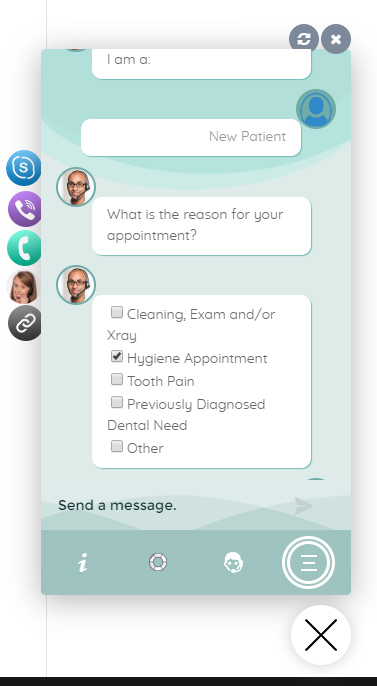
Create conditional conversations and forms for a native WordPress ChatBot experience  Build Standard Forms, Dynamic Forms with conditional fields, Calculators, Appointment booking etc. Comes with 12 ready templates built-in. Saves form data into database, auto response, conditional fields, variables, saved revisions and more!

What are the Conversational Forms?

Conversational Forms is a powerful module for WPBot. It extends WPBot’s functionality and adds the ability to create conditional conversations and/or forms for the WPBot. It is a visual, drag and drop form builder that is easy to use and very flexible. Supports conditional logic and use of variables to build all types of forms or just menu driven conversations with if else logic. Conversations or forms can be eMailed to you and saved in the database. Conversational forms can also work with OpenAI to generate Dynamic responses based on user submitted fields. This feature is multi-modal and supports uploading Image or Audio files for analysis by OpenAI AI models.

What Can You Do with it?

Conversation Forms Pro allows you to create a wide variety of forms, that might include:
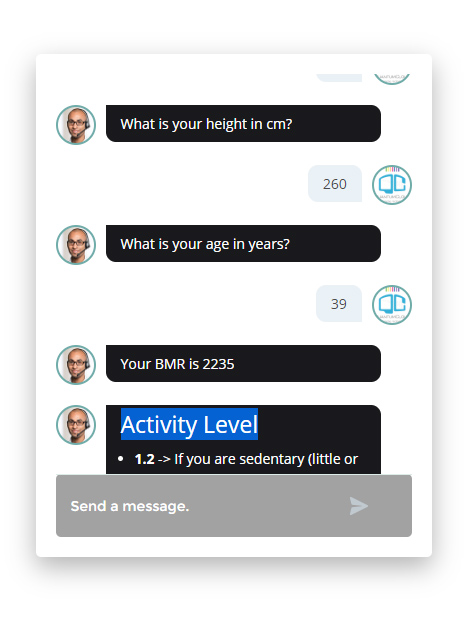
  • Conditional Menu Driven Conversations
  • Standard Contact Forms
  • Dynamic, conditional Forms – where fields can change based on the user selections
  • Job Application Forms
  • Lead Capture Forms
  • Various types of Calculators
  • Feedback Survey Forms etc.
  •  Submit Forms to OpenAI for a Response with your instructions and user submitted data. Supports multi-modal mode. Users can upload an Image or Audio file along with other form fields that you create. Check this article on how Conversational forms work with OpenAI.

How it Works?

After creating a Conversation or form, you can show it in the ChatBot in different ways.

  • Add it to the Start menu
  • Invoke the form intent with a system command to start inside ChatBot any time
  • Load the single intent/form inside a ChatBot widget on any page
  • Load the intent/form inside the ChatBot using a Click to Chat button that can be placed anywhere inside your content on any page.
  • Trigger another conversational form or Intent like Live Chat using conditions

Conversational Form Builder Pro Demos

Download the Free Version (compatible with both WoowBot Pro and Free)

Feature Highlights

  • Easy to use visual drag and drop conversations and form builder
  • Create conversational form or just conversation using the HTML element
  • Add text fields, single option selection or multiple option selection with checkboxes
  • Add HTML contents inside the conversation forms
  • eMail conversations or forms to the admin at the end of conversation
  • Set different recipient email addresses for different conversation forms
  • Clone form
  • Export/Import Forms
  • Form Entries saved into database
  • Export Form Entries as CSV
  • 12 Ready Form Templates to Get Started with
    (Contact Form, Feedback form. Survey Form, BMR Calculator, Appointment
    Request, Booking Form, Room Area Calculator)
  • 11 Input Fields (Simple Text, Hidden, Email Address, Number, URL, Calculation, Select Option, Checkbox, DateTime Picker, HTML, File Upload, OpenAI Instructions)
  • Processor – Auto Responder – Send an auto response e-mail for form submission
  • Unlimited Conditional Field creation
  • Trigger another conversational form or Intent like Live Chat using conditions (**NEW)
  • Unlimited Variables creation
  • Form Revisions
  • Create system command to initiate form for ChatBot
  • Add form to Start Menu
  • Submit Forms to OpenAI for a Response with your instructions and user submitted data. Supports multi-modal mode. Users can upload an Image or Audio file along with other form fields that you create. Check this article on how Conversational forms work with OpenAI.

Save Time. License Better. Deploy
Faster. Reinvent WordPress.

X
Let's chat if you need any help finding the right product or need support.
FAQEmail SubscriptionProduct SearchCatalogOrder Status