Imagine running a physical brick-and-mortar boutique. A casual shopper walks through your front door. They stroll down your aisles, pick up an item, look at the price tag, and begin walking toward the exit.
Would you stand there silently and let them walk out? Or would you step up, ask if they have any questions, and offer a quick incentive to help them complete the purchase?
Online, most store owners do the exact opposite. They let nearly 70% of their hard-earned traffic walk away without saying a word.
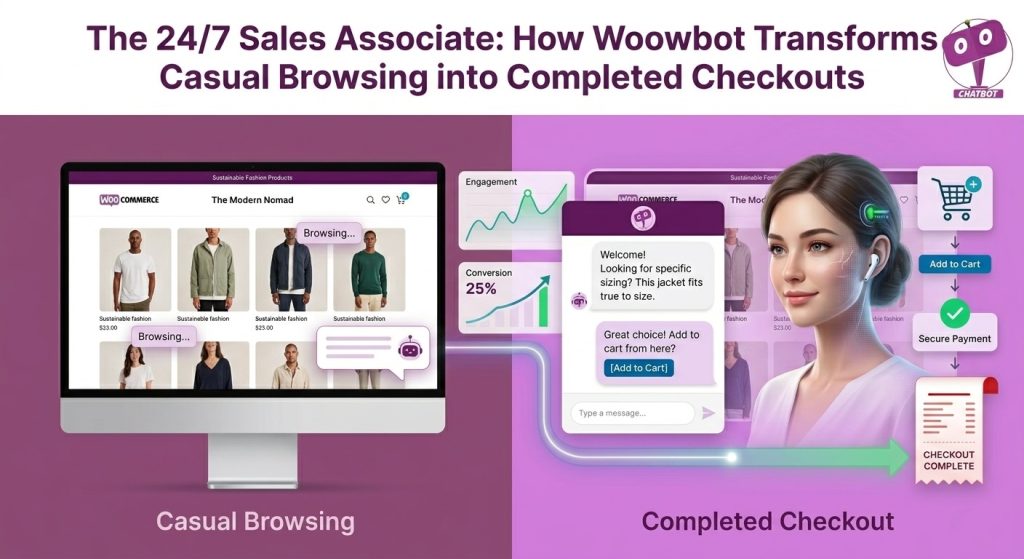
Woowbot is an autonomous, AI-driven plug-and-play chatbot designed for WooCommerce. It acts as a round-the-clock digital sales associate that actively engages visitors, answers product questions in real-time, displays personalized discount coupons on exit intent, and allows shoppers to find and add products to their cart directly from the chat interface. By automating these micro-interactions, it fixes the gaps where online sales are lost.
What Is Woowbot?
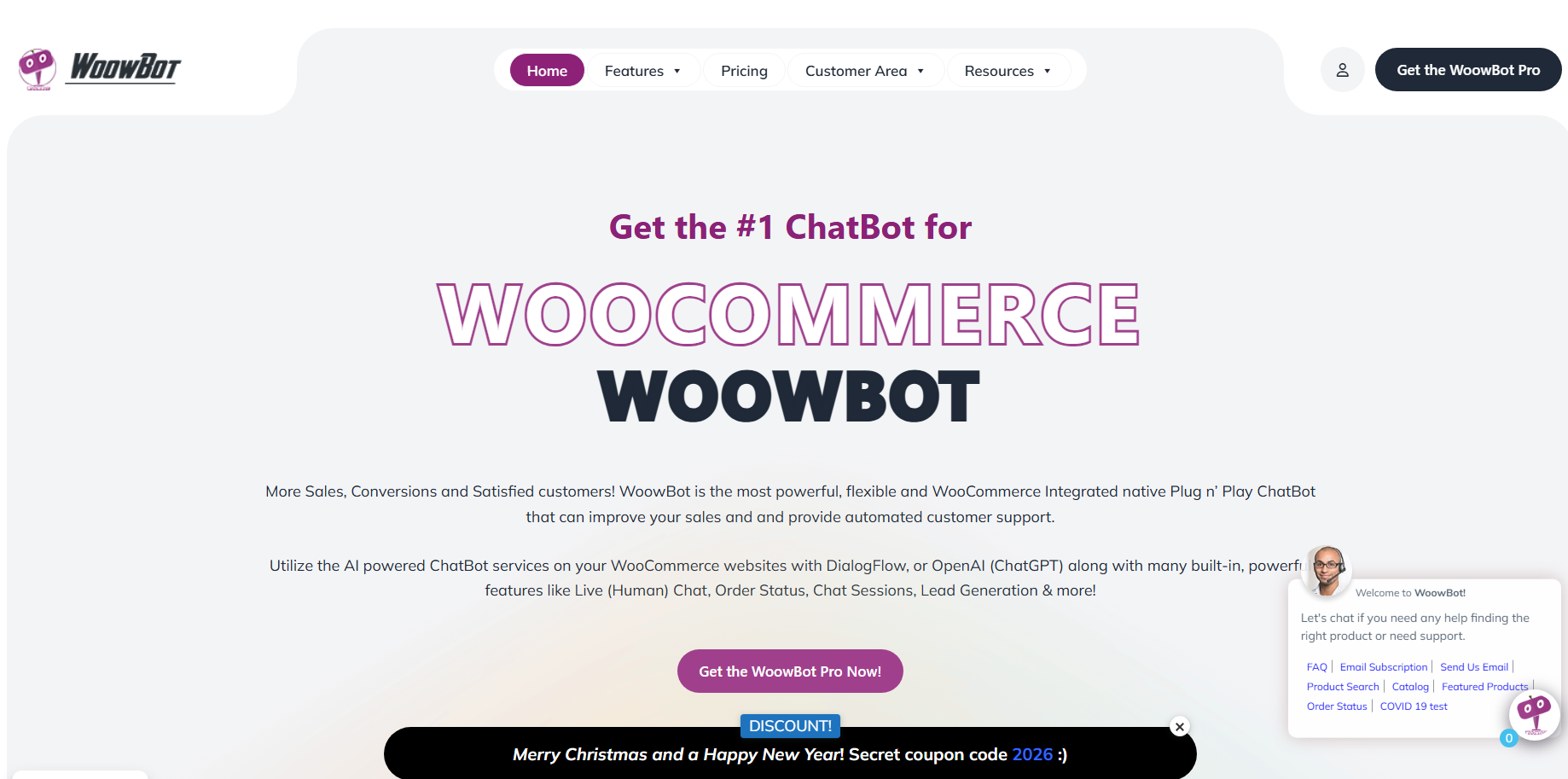
Woowbot is a standalone, e-commerce-specific chatbot plugin built natively for WordPress sites running WooCommerce. Unlike generic live-chat widgets that say “No one is available right now,” Woowbot operates entirely on its own.
It handles the heavy lifting of customer interactions without requiring your team to stay glued to a support desk.
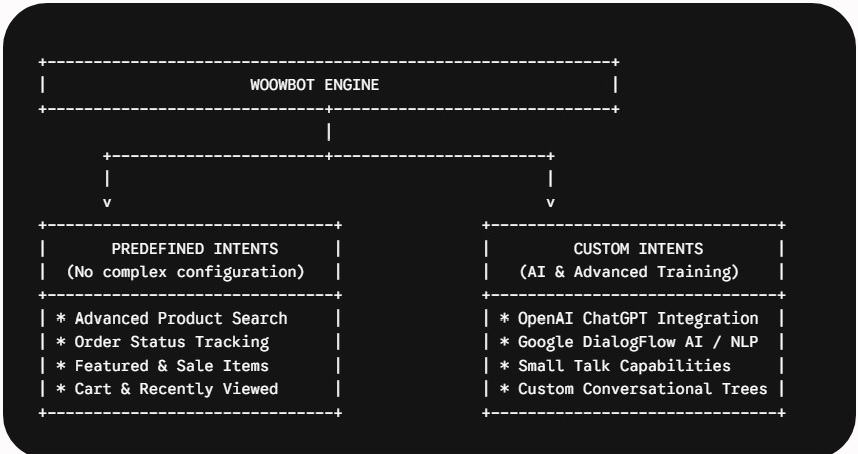
The plugin utilizes two layers of processing to handle customer requests:
- Predefined Intents (Out-of-the-Box): As soon as you install it, the bot can instantly process catalog searches, display on-sale items, track order numbers, and pull up recently viewed products. No external APIs or complex programming needed.
- Custom AI Intents (Advanced): For store owners who want human-like, fluid conversations, Woowbot integrates directly with OpenAI’s ChatGPT (via the GPT Assistant API) and Google’s DialogFlow. You can feed your website data directly into the system to train it on your unique catalog.
Why Do Casual Browsers Leave Without Buying?
To understand how a chatbot fixes your bottom line, you have to look closely at why your online traffic leaves in the first place. When someone exits your product page, it is rarely because they hate your brand.
It usually comes down to three friction points:
- Information Blindspots: The customer cannot find a simple answer about sizing, compatibility, shipping rates, or your return policy. Rather than digging through a clunky navigation menu, they click away.
- High Search Friction: If your store has hundreds of products and a basic, slow search bar, users get overwhelmed. If they cannot find the exact item within three seconds, they bounce.
- Sudden Second Thoughts: They like the product, but loss aversion kicks in at the final second. Without a tiny psychological nudge—like a limited-time coupon or a free shipping offer—they close the tab.
How Does Woowbot Drive Sales and Conversions?
Woowbot does not sit passively in the corner of your homepage waiting to be noticed. It actively tracks user actions and steps in at critical moments during the buying journey to move the user closer to checkout.
Onsite Retargeting and Exit-Intent Technology
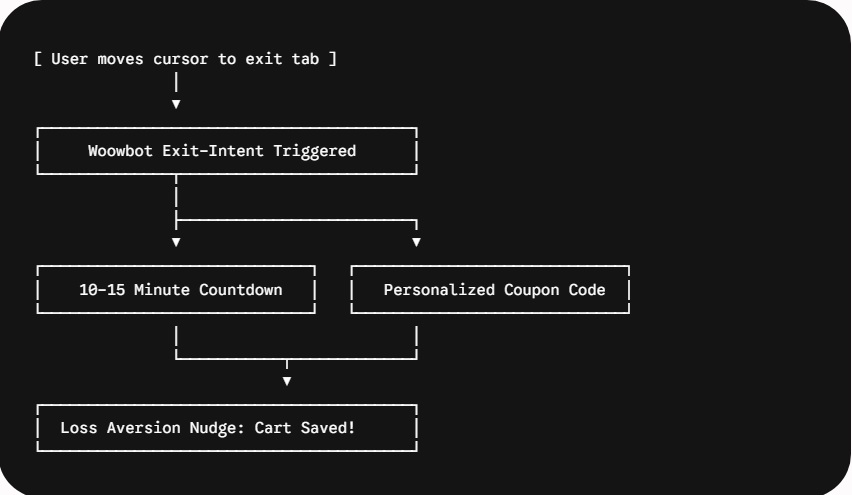
The moment a user’s mouse cursor speeds toward the browser’s close button or a different tab, Woowbot’s exit-intent engine triggers a targeted response.
Instead of showing a loud, annoying full-screen overlay popup that drives users crazy, the chatbot opens smoothly with a conversational offer.
According to data from conversion benchmarks, highly targeted cart-focused exit campaigns can achieve double-digit conversion rates, helping recover up to 25% of abandoning visitors.
Direct In-Chat Checkout Funnel
Every extra page load is a chance for a customer to change their mind. Woowbot short-circuits this funnel by letting users search your inventory, view rich product images, select variations, and add items directly to their cart inside the chat interface.
The customer can complete their entire product discovery phase without ever leaving their current page view.
What Features Make This Plugin an Effective Sales Tool?
If you are evaluating this tool for your company blog or e-commerce shop, you need to know the specific technical elements that generate a return on investment (ROI).
| Feature Category | Core Capability | Business Benefit |
| Catalog Integration | Real-time advanced product index search (titles, descriptions, SKUs, tags). | Eliminates search friction; surfaces hidden products instantly. |
| Onsite Retargeting | Scroll-depth triggers, time-interval prompts, and exit-intent tracking. | Re-engages cold traffic before they bounce off-site. |
| Cart Visibility | Quick-cart view with item counts displayed directly over the floating bot icon. | Keeps the financial value of the cart top-of-mind. |
| Omnichannel Hooks | Light integrations with WhatsApp, Viber, Skype, and Facebook Messenger. | Lets customers switch to their preferred personal platform with one click. |
How Do You Configure Woowbot for Maximum ROI?
Setting up a bot is easy, but optimizing it for actual revenue requires a systematic approach. Follow this structural sequence to maximize your store’s setup.
1.Run the Advanced Search Index Re-indexing:Takes 2-5 minutes.
Go to your WordPress admin panel under Woowbot settings and switch from Standard Search to Advanced Search mode. Run the re-indexing tool so the bot can search across categories, tags, excerpts, and item SKUs seamlessly.
2.Build Your Core Predefined Intent Triggers:No coding required.
Enable or disable the native menu buttons. For optimal conversion, keep the Product Search, Featured Items, On-Sale Products, and Order Status options toggled on. Disable any options that do not apply to your current catalog.
3.Deploy Onsite Retargeting with Cookie Caps:Crucial for customer retention.
Set an exit-intent trigger to offer a 10% discount code only when a user attempts to leave the cart or checkout page. Ensure you set a cookie frequency cap so returning users are not spammed with the same message every time they switch pages.
4.Connect External AI Models for Fluid Context:Optional advanced step.
Generate an API key from your OpenAI dashboard or Google DialogFlow account. Link it inside the Woowbot AI settings panel, and upload your site’s Frequently Asked Questions data to handle nuanced, non-linear text queries.
Frequently Asked Questions
What is WPBot vs. Woowbot?
WPBot is the foundational, generic WordPress chatbot plugin designed for regular content websites, blogs, and corporate landing pages to collect leads and answer basic queries. Woowbot is a specialized version engineered explicitly for WooCommerce stores. It includes direct product catalog search, in-chat additions to the cart, order tracking features, and sales-focused onsite retargeting triggers out of the box.
Does Woowbot slow down website performance or page speeds?
Like any plugin adding JavaScript to your front-end, Woowbot can add minor browser overhead. To keep your site running fast, utilize the native advanced settings to disable complex icon animations on mobile devices, use optimized, lightweight image assets for your custom bot avatars, and ensure your site uses server-side caching.
Can customers check order statuses through the chat window?
Yes. Customers can check their real-time WooCommerce order shipping and fulfillment status directly inside the chatbot window. You can configure the backend settings to allow users to pull up tracking information either by logging into their account or by entering their unique Order ID along with their billing email address.
Can I customize the branding and design layout?
Yes. The plugin features a built-in Language Center that allows you to change all front-facing text phrases into any language. Additionally, it offers pre-installed visual themes, support for custom CSS overrides, customizable colors, and options to upload your own custom agent avatars to match your brand identity.
Conclusion
At the end of the day, traffic is only half the battle. You can spend thousands of dollars on SEO, social media ads, and content marketing to get people to your WooCommerce store—but if you let them walk away without a word, you are leaving real money on the table.
Woowbot bridges that costly gap. By acting as your automated, round-the-clock sales associate, it tackles the exact friction points that kill modern online sales:
- It eliminates painful search friction by pulling products up instantly.
- It fixes information blindspots by answering support questions 24/7.
- It stops cart abandonment right at the finish line using smart exit-intent triggers.
You don’t need a massive customer service team or a giant budget to build an interactive, high-converting storefront. By automating your micro-interactions with a dedicated e-commerce chatbot, you turn your website from a passive catalog into an active sales machine.
Test it out on your high-traffic product pages first, watch how your customers interact with it, and see how much easier it is to turn casual browsing into completed checkouts.