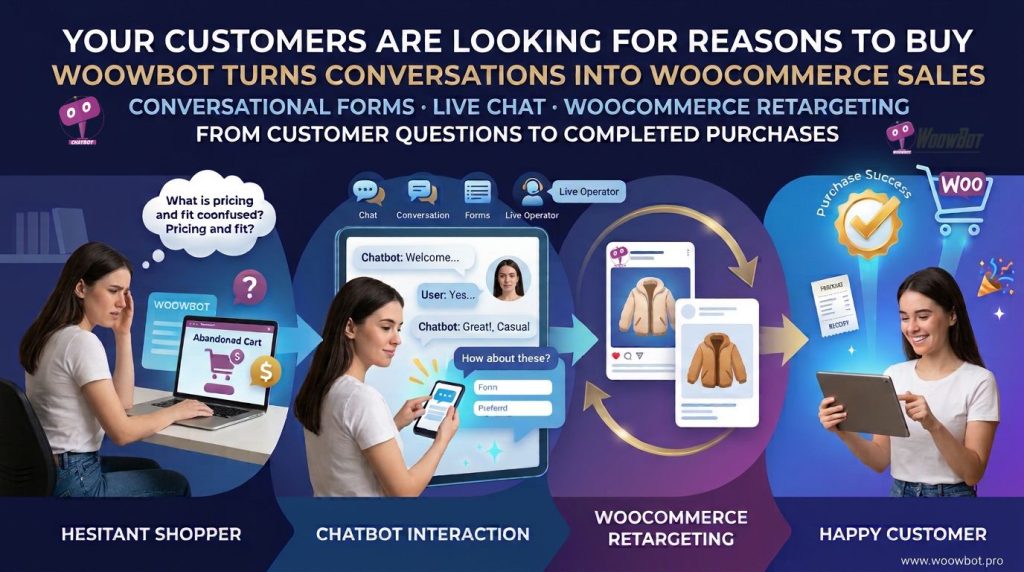
Your WooCommerce visitors don’t need another product catalog; WoowBot helps visitors find products, resolve buying doubts, and take the next step toward checkout through conversational shopping experiences. By combining Conversational Forms, Live Chat, and WooCommerce Retargeting, WoowBot helps store owners capture buying intent, provide timely assistance, and bring interested shoppers back into the purchase journey.
Why Are WooCommerce Customers Leaving Before Making a Purchase?
A visitor can spend five minutes browsing a WooCommerce store, compare three products, and leave without buying anything. The problem isn’t always product quality, shipping costs, or pricing; sometimes the visitor simply needs one question answered before making a decision.
Consider a customer shopping for wireless headphones. The customer might want to know whether a particular model supports Bluetooth 5.3, whether the battery lasts eight hours, or whether the product comes with an international warranty.
A traditional product page might contain some of those answers, but finding the correct information takes effort. WoowBot gives WooCommerce shoppers another way to discover information through conversational interactions.
WoowBot addresses three important gaps in the shopping journey:
- WoowBot Conversational Forms: Capture customer requirements, product interests, contact details, and qualified buying inquiries.
- WoowBot Live Chat: Give customers a way to request assistance and connect with human support when necessary.
- WoowBot WooCommerce Retargeting: Help store owners re-engage interested shoppers and encourage customers to continue their shopping journey.
The objective isn’t to force customers through another sales funnel. WoowBot helps remove unnecessary friction between product discovery and purchase decisions.
Why Does Your WooCommerce Store Need More Than Product Pages?
A product page explains what a product offers, but a conversation can help explain why a particular product might suit a customer’s requirements.
The difference becomes important when customers have individual questions. Two visitors looking at the same laptop might have completely different purchasing priorities.
- WoowBot helps a student explore laptops suitable for programming and university assignments.
- WoowBot helps a business owner investigate laptops suitable for office productivity and remote work.
- WoowBot helps a gamer explore specifications relevant to gaming performance.
- WoowBot helps a returning customer find relevant products and obtain shopping assistance.
WooCommerce stores can display thousands of product variations, but WoowBot creates an additional conversational route for product discovery.
How Does WoowBot Reduce Shopping Friction?
Shopping friction describes the extra effort customers experience before completing a purchase.
Common examples include:
- WoowBot addresses product discovery friction: Customers can ask product-related questions instead of manually exploring every category.
- WoowBot addresses information friction: Customers can request assistance when product descriptions don’t answer specific questions.
- WoowBot addresses communication friction: WoowBot Live Chat provides a conversational support channel.
- WoowBot addresses lead-capture friction: WoowBot Conversational Forms can collect relevant information through guided questions.
- WoowBot addresses return-visit friction: WoowBot WooCommerce Retargeting can support re-engagement strategies.
A store owner should measure these improvements through actual customer interactions, form submissions, support response times, and WooCommerce purchase events.
How Can WoowBot Conversational Forms Turn Customer Questions Into Qualified Leads?
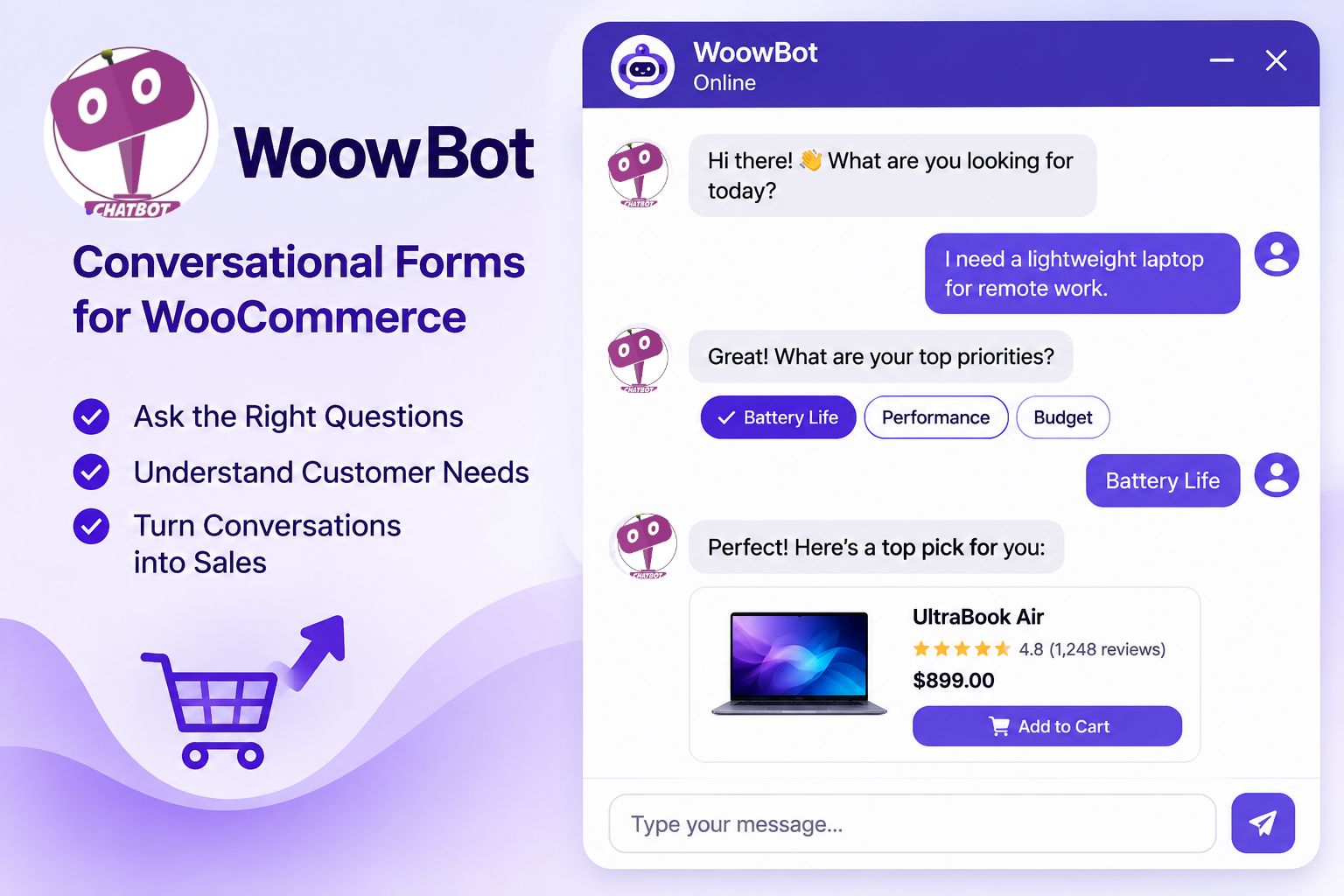
A customer asking about a product isn’t necessarily ready to purchase immediately. However, a detailed question can reveal a strong buying signal.
Consider a visitor asking whether a furniture store offers customized office desks. The visitor might need a specific desk size, wood material, delivery location, and installation service.
A conventional contact form can collect those requirements, but a long form may discourage visitors from submitting information. WoowBot Conversational Forms offer a conversational approach to gathering customer information.
Why Do Traditional Contact Forms Lose Potential Customers?
Traditional forms frequently present visitors with multiple fields at once.
A typical inquiry form might request:
- Full name.
- Email address.
- Phone number.
- Product selection.
- Budget.
- Requirements.
- Additional comments.
The problem isn’t necessarily the number of fields. The problem is asking customers to complete a long information-gathering process without explaining why each answer matters.
WoowBot Conversational Forms can divide information collection into smaller questions. A guided conversation makes the information-gathering process easier to follow.
How Does WoowBot Conversational Lead Capture Work?
A practical WoowBot Conversational Forms workflow can follow these steps:
Step 1: WoowBot identifies customer intent.
A visitor asks about a particular product, service, quotation, or purchasing requirement.
Step 2: WoowBot asks relevant questions.
WoowBot can guide the visitor through configured questions to collect the necessary information.
Step 3: WoowBot captures customer details.
WoowBot Conversational Forms can collect contact information and relevant requirements according to the configured form fields.
Step 4: WoowBot helps organize the inquiry.
The captured information gives the sales team useful context for reviewing the customer’s request.
Step 5: WoowBot supports the next sales action.
A store representative can use the submitted information to prepare a quotation, answer a question, or continue the sales conversation.
Which Businesses Can Benefit From WoowBot Conversational Forms?
|
Business type |
WoowBot conversational form application |
Potential business value |
|
Electronics stores |
WoowBot collects model preferences and purchasing requirements |
Better-qualified product inquiries |
|
Furniture stores |
WoowBot gathers dimensions, materials, and customization requests |
More useful quotation requests |
|
Fashion stores |
WoowBot collects size and style preferences |
More relevant shopping assistance |
|
B2B suppliers |
WoowBot captures quantity and business requirements |
Better-qualified sales opportunities |
|
Beauty stores |
WoowBot gathers product preferences and customer questions |
More relevant recommendations |
|
Service businesses |
WoowBot collects project details and booking inquiries |
More structured inquiries |
How Should You Design a High-Converting WoowBot Conversational Form?
A useful conversational form should collect information that supports a real business decision.
For example, a WooCommerce electronics store could configure the following WoowBot conversation:
Customer: I’m looking for a laptop for video editing.
WoowBot: What is your approximate budget?
Customer: Around $1,000.
WoowBot: Which screen size do you prefer?
Customer: 15 or 16 inches.
WoowBot: Would you like assistance finding suitable products?
Customer: Yes.
WoowBot: Please provide your contact details so the store team can follow up on your requirements.
This example demonstrates a conversational lead-capture strategy. Actual question flow and product recommendations depend on the WoowBot configuration and available product information.
Five practical WoowBot form-design recommendations:
- WoowBot should ask relevant questions: Avoid collecting information unrelated to the customer’s request.
- WoowBot should minimize unnecessary fields: Request only the information needed for the next business action.
- WoowBot should explain the purpose of sensitive information: Customers should understand why contact details are requested.
- WoowBot should use clear question wording: Simple questions improve conversational usability.
- WoowBot should support an understandable completion experience: Customers should know when the inquiry has been submitted.
How Much Revenue Can WoowBot Conversational Forms Help Recover?
Consider an illustrative WooCommerce store receiving 10,000 monthly visitors.
Assume 3% of visitors submit qualified buying inquiries through WoowBot Conversational Forms. That produces 300 inquiries per month.
If 10% of those inquiries eventually become customers, the store generates 30 additional orders attributable to the modeled inquiry funnel.
Assume an average order value of $80.
|
Metric |
Illustrative result |
|
Monthly visitors |
10,000 |
|
WoowBot inquiry submission rate |
3% |
|
Qualified inquiries |
300 |
|
Assumed inquiry-to-order rate |
10% |
|
Additional orders |
30 |
|
Average order value |
$80 |
|
Modeled attributed revenue |
$2,400 |
The formula is:
Modeled revenue = Visitors × Inquiry rate × Inquiry-to-order rate × Average order value
The $2,400 figure is an illustrative scenario, not a guaranteed WoowBot performance result. Store owners should measure actual form submissions, deduplicate customers, and verify completed WooCommerce orders before calculating attributable revenue.
Why Is WoowBot Live Chat Important When Customers Are Ready to Buy?
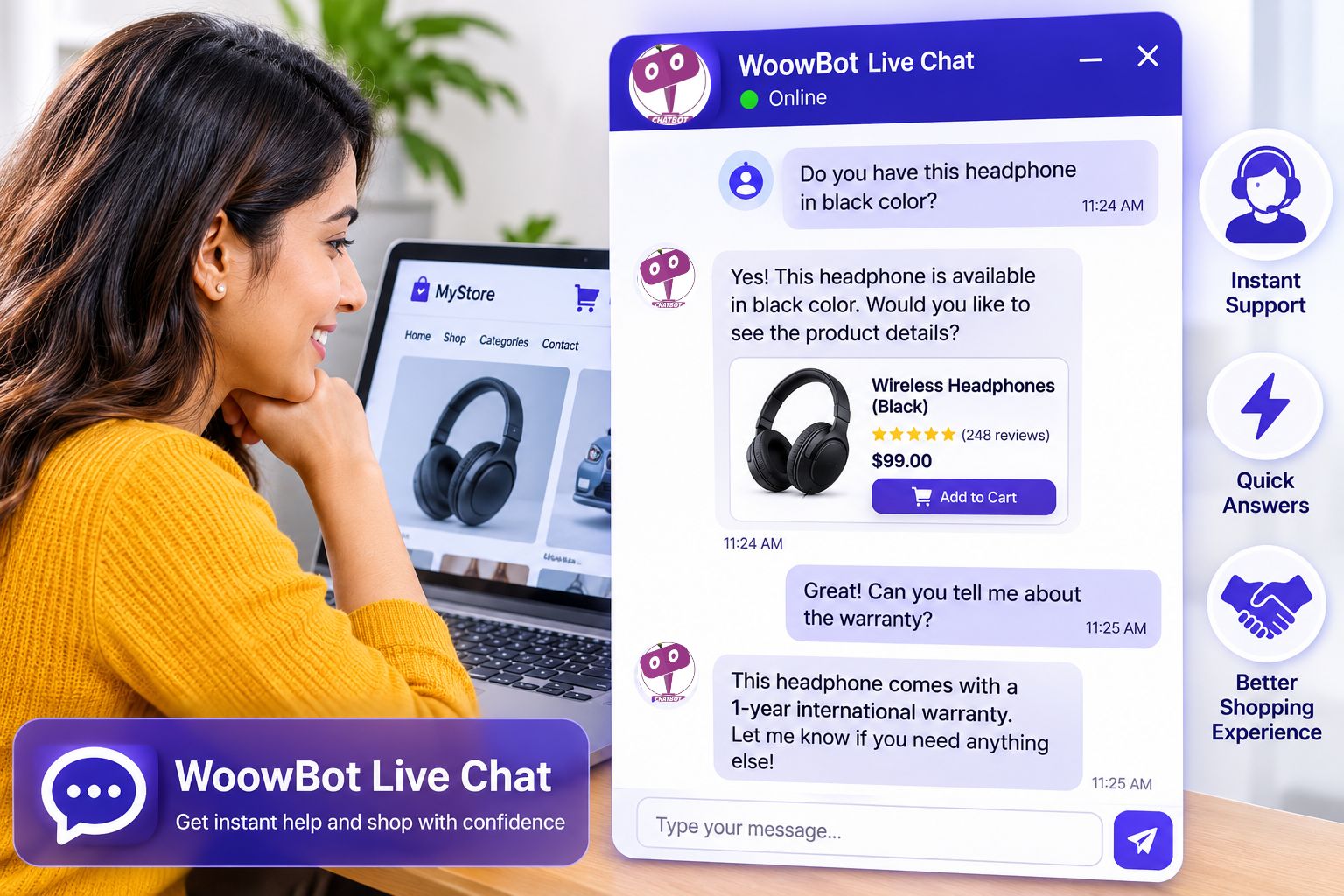
Some customers don’t need a lead form. Some customers need a quick answer from a real person.
A shopper might ask whether a product is available in a particular color, whether same-day delivery is possible, or whether a replacement part is compatible with an existing product.
A delayed response can create unnecessary uncertainty. WoowBot Live Chat gives WooCommerce businesses another communication channel for handling customer questions.
What Happens When Customers Cannot Get Immediate Shopping Assistance?
Consider a customer comparing two products worth $250 each.
The customer likes both products but needs confirmation about compatibility before purchasing. The customer sends an inquiry and waits several hours without receiving a response.
During the waiting period, the customer may continue searching elsewhere.
WoowBot Live Chat helps businesses create a more accessible support experience by connecting website conversations with human assistance when the appropriate live-chat configuration is available.
How Does WoowBot Live Chat Support the Customer Journey?
WoowBot Live Chat can support several stages of the shopping experience.
1. WoowBot Live Chat helps answer pre-purchase questions.
Customers can request clarification about product specifications, availability, shipping, and purchasing requirements.
2. WoowBot Live Chat helps customers obtain human assistance.
Human representatives can handle questions that require judgment, detailed explanations, or business-specific decisions.
3. WoowBot Live Chat helps resolve purchasing uncertainty.
A representative can clarify relevant information before a customer completes checkout.
4. WoowBot Live Chat helps support existing customers.
Customers can request assistance about product usage, order-related questions, or other support matters.
5. WoowBot Live Chat helps businesses understand recurring questions.
Conversation histories and support interactions can help store owners identify repeated customer concerns and improve product information.
Why Should WooCommerce Businesses Combine WoowBot AI Chat With Human Support?
AI assistance and human support solve different problems.
AI-powered conversations can help customers find information and navigate configured workflows. Human representatives can handle unusual situations, sensitive complaints, complicated purchasing requirements, and decisions that require business judgment.
|
Customer requirement |
WoowBot AI assistance |
WoowBot Live Chat / human support |
|
Basic product question |
WoowBot can provide configured product information |
A representative can clarify complex details |
|
Product discovery |
WoowBot can help with product searches |
A representative can offer additional guidance |
|
Complicated complaint |
WoowBot can collect initial information |
A representative can investigate the complaint |
|
Custom quotation |
WoowBot can collect requirements |
A representative can prepare or approve the quotation |
|
Order-related question |
WoowBot can assist with configured information |
A representative can investigate exceptions |
The best approach is to design a clear handoff process. WoowBot should not be expected to make business commitments or provide information that the store has not configured or verified.
How Can WoowBot Live Chat Improve Customer Support Operations?
A useful support workflow starts with understanding the customer’s question.
For example, an online electronics store might receive 500 monthly support conversations.
Assume 40% of conversations involve repetitive questions about delivery, product specifications, or return policies. That represents 200 conversations requiring similar information.
If WoowBot helps customers resolve 25% of those repetitive inquiries without human intervention, the business could avoid 50 human-handled interactions.
Assuming each avoided interaction would otherwise require four minutes of employee time:
50 × 4 minutes = 200 minutes of potential monthly time savings.
The example is a planning model, not a measured WoowBot efficiency claim. Actual savings depend on answer accuracy, workflow configuration, customer adoption, and the number of conversations requiring human intervention.
Which WoowBot Live Chat Features Should Store Owners Prioritize?
- WoowBot should make support access understandable: Customers should know how to request human assistance.
- WoowBot should preserve useful conversation context: Representatives benefit from understanding the customer’s original question.
- WoowBot should support clear response expectations: Store owners should communicate realistic support hours.
- WoowBot should encourage accurate answers: Product, shipping, and policy information should come from maintained business sources.
- WoowBot should help identify recurring issues: Repeated questions can reveal missing product information or confusing checkout processes.
How Does WoowBot WooCommerce Retargeting Bring Interested Shoppers Back?
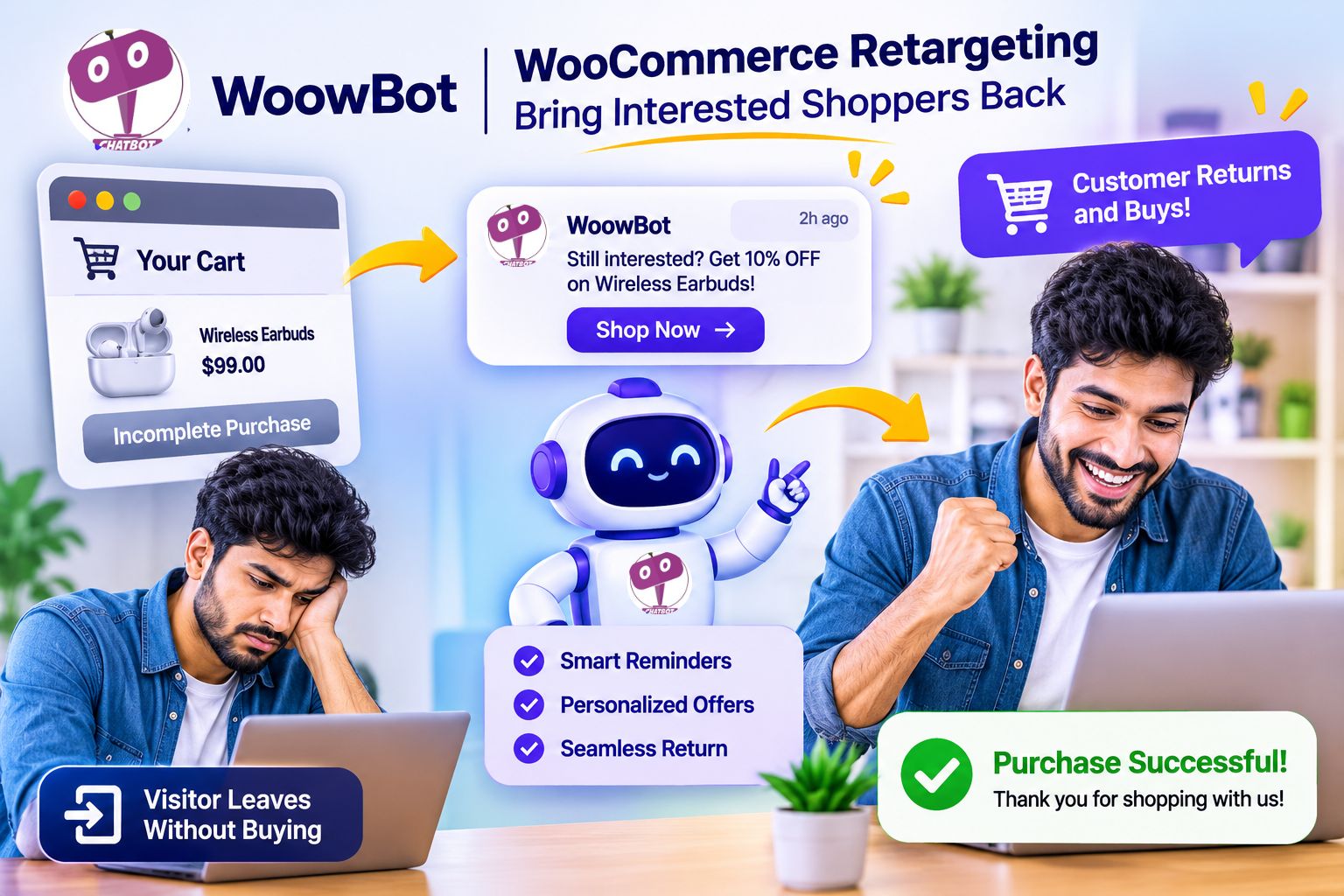
Getting visitors to a WooCommerce store is only the first part of online selling.
Some visitors discover a product, ask questions, compare prices, and leave without purchasing. Other visitors add products to their carts but abandon checkout.
Those visitors represent potential future customers, but a store owner needs a responsible re-engagement strategy.
WoowBot WooCommerce Retargeting supports the broader goal of bringing interested shoppers back into the shopping journey.
Why Do WooCommerce Shoppers Abandon Their Shopping Carts?
Cart abandonment can happen for several reasons.
- WoowBot can help address unanswered product questions: Missing information can prevent customers from making purchasing decisions.
- WoowBot can support shopping assistance: Customers may need clarification before completing checkout.
- WoowBot can support re-engagement strategies: Interested shoppers may need another opportunity to continue shopping.
- WoowBot can support customer conversations: Previous interactions can reveal the concerns that influenced purchasing decisions.
Cart abandonment should not automatically be treated as a lost sale. Some customers are comparing products, waiting for payday, checking delivery options, or simply saving products for later.
How Does WoowBot WooCommerce Retargeting Support Re-Engagement?
WoowBot WooCommerce Retargeting should be treated as part of a broader customer engagement strategy.
A practical customer journey can include:
Step 1: WoowBot engages the shopper.
A visitor explores products and interacts with WoowBot to obtain shopping assistance.
Step 2: WoowBot helps identify shopping intent.
Product questions, conversational form submissions, and configured customer interactions can reveal areas of interest.
Step 3: WoowBot supports the next engagement opportunity.
Store owners can use available WoowBot retargeting capabilities and configured communication workflows to reconnect with interested shoppers.
Step 4: WoowBot helps customers resume product discovery.
Returning shoppers can receive relevant shopping assistance and explore products again.
Step 5: WoowBot supports the purchase journey.
Customers can continue toward product selection and WooCommerce checkout.
The exact triggers, communication channels, tracking requirements, and available retargeting actions should be verified against the installed WoowBot version and its configuration.
Which WooCommerce Retargeting Strategies Can Work Alongside WoowBot?
|
Retargeting opportunity |
WoowBot marketing application |
Intended outcome |
|
Product interest |
WoowBot helps shoppers explore relevant products |
Encourage product rediscovery |
|
Unanswered questions |
WoowBot provides another support opportunity |
Reduce purchasing uncertainty |
|
Cart abandonment |
WoowBot supports configured re-engagement workflows |
Encourage checkout completion |
|
Returning visitors |
WoowBot offers conversational shopping assistance |
Continue the customer journey |
|
Previous inquiries |
WoowBot supports follow-up based on appropriate customer consent |
Reopen qualified sales conversations |
How Can WoowBot Retargeting Improve the Economics of Customer Acquisition?
Acquiring a new website visitor requires marketing expenditure, content production, search visibility, or advertising.
Re-engaging an existing interested shopper can create another opportunity to convert previously acquired traffic.
Consider an illustrative WooCommerce store with 1,000 monthly abandoned carts.
Assume a properly configured and consent-compliant re-engagement campaign reaches 500 eligible shoppers. Assume 5% of those shoppers complete a purchase after the campaign.
That produces 25 recovered orders.
With an average order value of $60:
25 × $60 = $1,500 in modeled recovered revenue.
|
Metric |
Illustrative result |
|
Monthly abandoned carts |
1,000 |
|
Eligible shoppers reached |
500 |
|
Assumed recovery conversion rate |
5% |
|
Recovered orders |
25 |
|
Average order value |
$60 |
|
Modeled recovered revenue |
$1,500 |
The $1,500 figure is an illustrative scenario rather than a guaranteed WoowBot result. Store owners must account for organic return purchases, discount costs, refunds, campaign expenses, and attribution overlap.
How Should Store Owners Avoid Annoying Customers With WoowBot Retargeting?
Retargeting should be useful, relevant, and respectful.
- WoowBot retargeting should respect customer consent: Store owners must follow applicable privacy and marketing rules.
- WoowBot retargeting should avoid excessive messaging: Repeated unsolicited notifications can damage customer trust.
- WoowBot retargeting should use relevant product context: Generic messages are less useful than relevant shopping information.
- WoowBot retargeting should respect opt-out requests: Customers must have appropriate ways to withdraw marketing consent.
- WoowBot retargeting should use measurable conversion events: Store owners should evaluate completed purchases rather than message delivery alone.
How Do WoowBot’s Three Core Pillars Work Together to Generate Sales?
Conversational Forms, Live Chat, and WooCommerce Retargeting are more valuable when store owners plan the three capabilities as connected parts of a customer journey.
Each capability addresses a different customer requirement.
|
Customer journey stage |
WoowBot capability |
Business objective |
|
Product discovery |
WoowBot AI shopping assistance |
Help customers find relevant products |
|
Buying questions |
WoowBot conversational interaction |
Reduce information gaps |
|
Lead capture |
WoowBot Conversational Forms |
Collect qualified inquiries |
|
Human assistance |
WoowBot Live Chat |
Resolve complicated questions |
|
Purchase decision |
WoowBot shopping support |
Help customers move toward checkout |
|
Re-engagement |
WoowBot WooCommerce Retargeting |
Encourage return visits |
|
Repeat shopping |
WoowBot customer engagement |
Support continued relationships |
What Does a Complete WoowBot Customer Journey Look Like?
Imagine a customer visiting a WooCommerce store selling premium office furniture.
Discovery: The customer searches for ergonomic office chairs and discovers a suitable product.
Conversation: The customer asks WoowBot about adjustable armrests, lumbar support, and available colors.
Lead capture: The customer requests a bulk quotation for five chairs through WoowBot Conversational Forms.
Human assistance: A sales representative uses WoowBot Live Chat to clarify delivery and customization requirements.
Purchase: The customer proceeds to WooCommerce checkout after receiving the required information.
Re-engagement: If the customer leaves before purchasing, an appropriate WoowBot retargeting workflow can provide another opportunity to continue shopping, subject to the configured capabilities and required consent.
The example demonstrates how WoowBot can support multiple purchasing stages without treating every visitor as an immediate buyer.
Is WoowBot a Better Choice Than Another Monthly SaaS Chatbot?
WooCommerce store owners often compare native WordPress solutions with hosted chatbot services.
The right decision depends on ownership requirements, integrations, operating costs, technical flexibility, and the expected customer-support workload.
|
Evaluation factor |
WoowBot WordPress approach |
Typical hosted SaaS chatbot |
|
Website environment |
WoowBot operates within a WordPress environment |
Hosted service connects to the website |
|
Store integration |
WoowBot focuses on WordPress and WooCommerce use cases |
Depends on the SaaS provider |
|
Hosting responsibility |
WoowBot uses the store’s WordPress hosting resources |
SaaS provider operates its hosted infrastructure |
|
Subscription structure |
WoowBot licensing depends on the selected license |
Many SaaS providers charge recurring subscription fees |
|
AI operating costs |
WoowBot AI costs depend on the configured provider and usage model |
SaaS AI costs depend on provider pricing and plan limits |
|
Data management |
WoowBot data handling depends on implementation and connected services |
Data handling depends on the SaaS provider |
|
Customization |
WoowBot works within the WordPress customization environment |
Customization depends on SaaS features and APIs |
The table describes general architectural differences, not a claim that every SaaS product has the same pricing or capabilities.
How Should Store Owners Compare WoowBot Pricing With SaaS Pricing?
A low initial license price doesn’t automatically mean a lower total cost of ownership.
Store owners should compare the full operating cost.
|
Cost category |
WoowBot cost consideration |
SaaS cost consideration |
|
Software license |
WoowBot license and renewal terms |
SaaS monthly or annual subscription |
|
Hosting |
WordPress hosting and infrastructure |
Usually included in SaaS service pricing |
|
AI usage |
Configured AI provider charges, where applicable |
Included allowances or additional usage charges |
|
Maintenance |
WordPress and WoowBot maintenance |
SaaS vendor maintenance |
|
Integration |
Connected services and custom development |
SaaS integrations and API charges |
|
Support |
License-specific support terms |
SaaS plan-specific support terms |
WoowBot buyers should verify the current license, supported features, renewal terms, and AI usage requirements before making a purchasing decision.
How Can You Measure the Actual Sales Impact of WoowBot?
Installing a chatbot is not the same as improving sales.
A WooCommerce store needs measurable indicators to determine whether WoowBot contributes to better customer experiences and business outcomes.
Which WoowBot Metrics Should WooCommerce Store Owners Track?
1. WoowBot conversation engagement rate
Measure the percentage of eligible website visitors who start a conversation.
Formula:
Conversation engagement rate = Conversations ÷ Eligible visitors × 100
2. WoowBot Conversational Forms completion rate
Measure the percentage of visitors who start a configured form and successfully submit the required information.
Formula:
Form completion rate = Completed forms ÷ Form starts × 100
3. WoowBot Live Chat response time
Measure the time between a customer’s request for human assistance and the first meaningful human response.
4. WoowBot lead-to-order conversion rate
Measure the percentage of qualified WoowBot inquiries associated with completed WooCommerce orders.
Formula:
Lead-to-order rate = Attributed orders ÷ Qualified leads × 100
5. WoowBot retargeting conversion rate
Measure the percentage of eligible re-engaged shoppers who complete a purchase within the defined attribution window.
6. WoowBot assisted revenue
Measure WooCommerce revenue associated with customer journeys that included WoowBot interactions, while avoiding double counting.
How Can You Build a Practical WoowBot Measurement Dashboard?
A store owner can combine WooCommerce order data, chatbot interaction records, form submissions, and campaign analytics.
Recommended dashboard fields include:
- WoowBot conversations per month.
- WoowBot completed conversational forms.
- WoowBot qualified leads.
- WoowBot Live Chat requests.
- WoowBot average human response time.
- WoowBot retargeting engagement.
- WooCommerce orders associated with WoowBot journeys.
- WoowBot-assisted revenue.
- WoowBot operating cost.
- WoowBot cost per qualified lead.
The most important metric is not the total number of chatbot messages. WoowBot should be evaluated according to measurable improvements in qualified inquiries, customer support, completed orders, and profitable customer relationships.
How Can You Get Started With WoowBot Without Overcomplicating Your Store?
A successful chatbot implementation doesn’t require dozens of complicated workflows on the first day.
A focused rollout makes it easier to identify problems and measure results.
Which WoowBot Setup Should You Launch First?
Phase 1 — WoowBot product discovery
Configure relevant product information, common shopping questions, and product discovery workflows.
Phase 2 — WoowBot Conversational Forms
Create one focused lead-capture workflow for customers requesting quotations, product information, or personalized assistance.
Phase 3 — WoowBot Live Chat
Configure human support availability, response expectations, and the handoff process.
Phase 4 — WoowBot WooCommerce Retargeting
Implement suitable re-engagement workflows and verify consent, tracking, and conversion attribution.
Phase 5 — WoowBot performance measurement
Review conversations, completed forms, support requests, WooCommerce orders, and customer feedback.
What Should You Test Before Publishing WoowBot on a Live Store?
- WoowBot product information: Verify product names, prices, descriptions, and availability against WooCommerce records.
- WoowBot Conversational Forms: Test required fields, submission handling, and confirmation messages.
- WoowBot Live Chat: Test representative availability and the human handoff experience.
- WoowBot AI responses: Check factual accuracy and ensure unsupported answers aren’t presented as confirmed information.
- WoowBot retargeting: Test eligible customer journeys, consent handling, and opt-out behavior.
- WoowBot performance: Test page loading, AJAX requests, database activity, and external API response times.
- WoowBot security: Test access controls, data validation, and current software versions.
FAQ
WoowBot is a tool that helps WooCommerce visitors find products, resolve buying doubts, and take the next step toward checkout through conversational shopping experiences.
WoowBot reduces shopping friction by addressing product discovery, information, communication, lead-capture, and return-visit friction to streamline the purchasing process.
The three main functions of WoowBot are Conversational Forms, Live Chat, and WooCommerce Retargeting, which together enhance customer interaction and support.
Customers may abandon their shopping carts due to unanswered product questions, needing shopping assistance, or simply not being ready to purchase at that moment.
WoowBot Conversational Forms allow customers to ask detailed questions, which can reveal strong buying signals and help capture their requirements and preferences.
WoowBot Live Chat provides a way for customers to request assistance and connect with human support when they have immediate questions or need clarification.
WoowBot WooCommerce Retargeting helps store owners re-engage interested shoppers and encourage them to continue their shopping journey after leaving the store.
Store owners should measure metrics such as conversation engagement rates, form completion rates, response times, lead-to-order conversion rates, and overall revenue associated with WoowBot interactions.
What Is the Final Reason to Make WoowBot Part of Your WooCommerce Sales Strategy?
Your customers don’t always need another discount, another product page, or another promotional banner.
Sometimes customers need a product recommendation. Sometimes customers need an answer from a real person. Sometimes customers need a convenient way to submit their requirements or return to a product they previously considered.
WoowBot brings three important capabilities together:
- WoowBot Conversational Forms: Turn customer requirements into structured inquiries and qualified leads.
- WoowBot Live Chat: Give shoppers access to conversational assistance and human support.
- WoowBot WooCommerce Retargeting: Support customer re-engagement and opportunities to continue unfinished shopping journeys.
The real opportunity is to make the shopping experience more helpful at every important decision point.
Stop treating every website visitor as another page view. Start treating every meaningful conversation as an opportunity to understand customer needs, provide better assistance, and generate more WooCommerce sales.
Explore WoowBot and discover how conversational shopping can support your online store.
Turn Shopping Questions Into Sales Opportunities With WoowBot.